AI engineering, in your terminal
Reads your codebase, writes and edits files, runs commands, and works through multi-step engineering tasks — all from the command line.
✦ Hello! I'm ARIA, your terminal coding agent from Aria Studio.
I can help with debugging, building features, refactoring and testing.

What would you like to work on today?Cheaper to run. Easier to steer.
Aria trims what every step re-sends, and gives you three controls from the prompt: plan first, let it drive, or change the model.
fewer input tokens
Fewer tokens, full answers
Every step of an agent re-sends the conversation. Aria drops what no longer matters — stale tool output, echoed file writes, terminal noise — and cached context is billed at a quarter.
Measured across 623 real sessions.
/plan before a single edit
In Plan Mode Aria can read and research, but every tool that would change a file or run a command is blocked. It writes the plan; you approve it; then it builds from what it wrote.
- reads 6 files
- writes plan.md
- you approve
- builds step 1 of 4
Autopilot when you trust it
Shift+Tab moves from manual to auto-accept, where edits land without asking, then to full permission, where commands run too. Ctrl+Y takes the wheel back.
> add pagination to /usersauto-accept Shift+Tab for full permission✓ Edited src/routes/users.ts✓ Edited src/routes/users.test.tsfull permission Ctrl+Y to turn off$ npm test✓ 24 passed$ npm run build✓ built in 3.1s
Switch models with /model
Change mid-session, or for this session only. Aria Pro is on paid plans.
- Aria (in use)Fast, for everyday engineering work.
- Aria ProExtended reasoning for harder problems.
One account. One quota.
Aria CLI isn't a separate product with its own login — it's Aria Studio, reached from the terminal.
- STEP 01
Install
One command, no config file to write first. Works the same on macOS, Linux and Windows.
npm i -g @ariastudioai/aria - STEP 02
Sign in with Aria Studio
Run it once. Your Aria Studio account opens in the browser — approve the session and the terminal is signed in.
/auth - STEP 03
Build from the terminal
Every request counts against the same monthly quota as the browser app. One plan, one dashboard, three places to work.
Every session, tracked from your browser
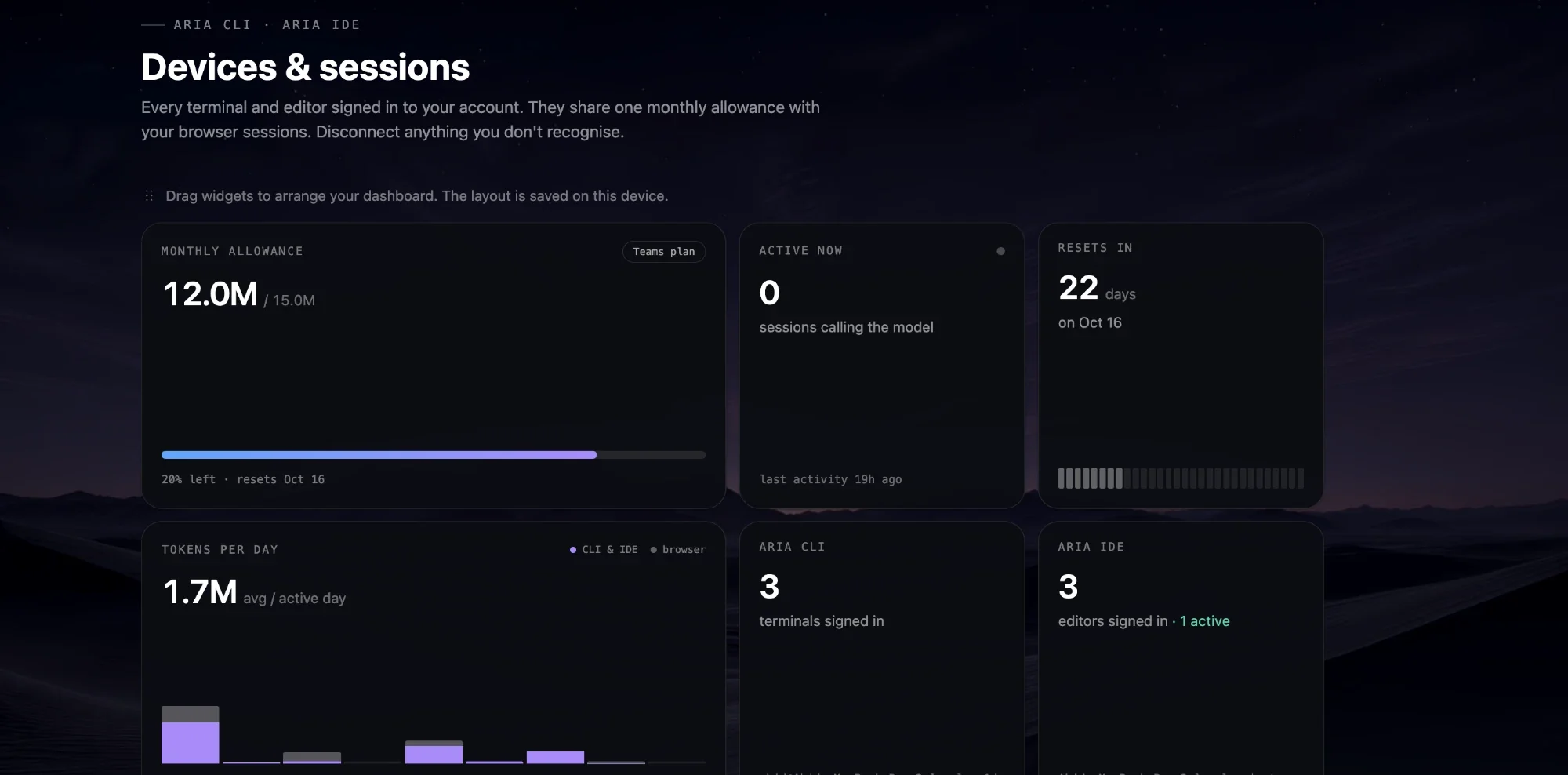
The dashboard is where the CLI's usage actually lives — sign in once and everything the terminal does shows up here, in real time.
One monthly allowance
The limit your CLI, IDE and browser sessions all draw from — your plan, what is used and what is left.
Tokens per day
Terminal and editor usage beside browser usage, day by day across the billing window.
Active now, and the reset
How many sessions are calling the model right now, and how many days until the allowance renews.
Every signed-in device
See each terminal and editor signed in to your account, and disconnect any you don't recognise.
Everything a coding agent needs, none of it in a browser
The same agent behind Aria Studio, tuned for a terminal-first workflow.
Aria and Aria Pro
/modelSwitch mid-session with /model: Aria for fast everyday work, Aria Pro for harder problems that need longer reasoning. Both run on your Aria Studio plan, with no API key to manage.
Reasoning effort control
/effortDial between low, medium and high with /effort. A quick fix runs fast and cheap; a hard refactor gets the model more room to think before it acts.
Agent Skills + MCP
Write a reusable skill for a workflow you repeat, or connect a Model Context Protocol server to bring in your own tools and data sources.
Real file & shell tools
Reads your codebase, writes and edits files, and runs shell commands — install a package, run a script, check a log — in one continuous loop.
Sandboxed execution
Launch with sandboxing enabled and agent-issued commands run inside an isolated Docker or Podman container instead of directly on your machine.
VS Code companion
Pair with the Aria IDE extension so the terminal agent stays aware of the files you actually have open, not just what is on disk.
Runs wherever you already work


Aria Assistant
It works. You see it. You answer it.
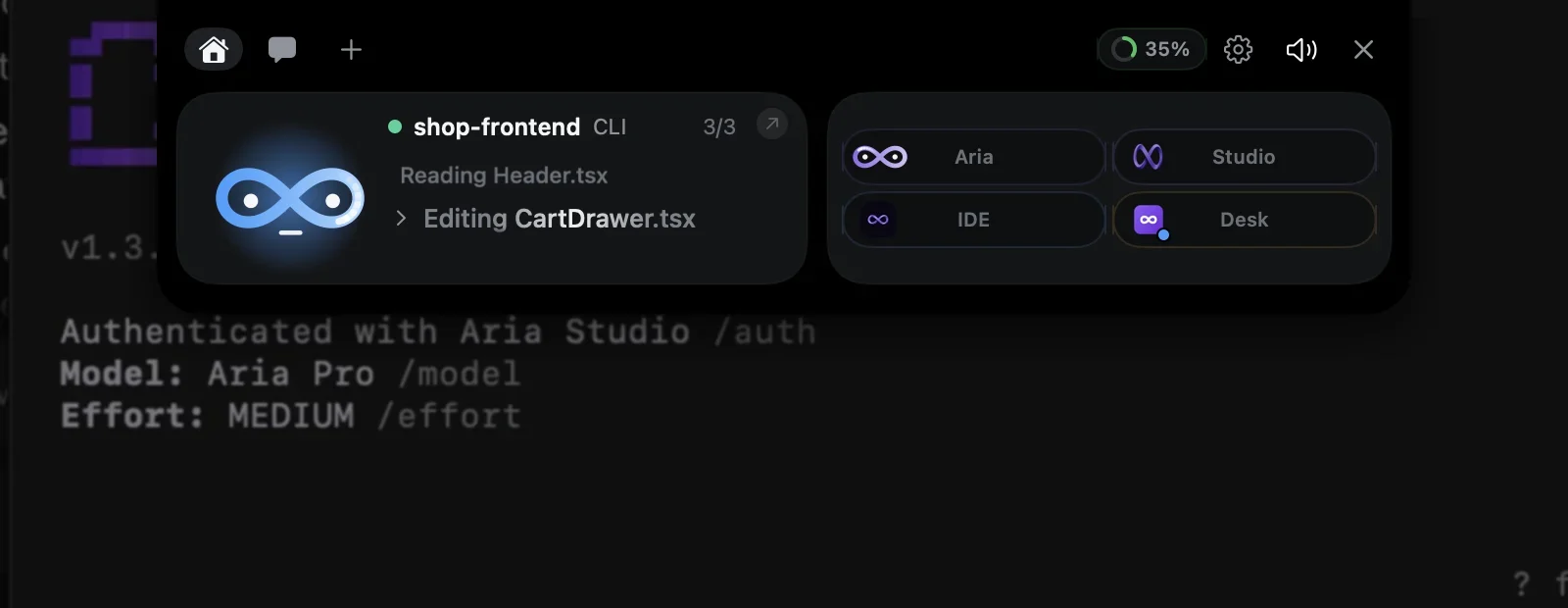
Aria CLI reports every session to Aria Assistant, the island at the top of your screen: what it is doing, what it needs from you, and when it is done — so the terminal can stay behind your other windows.
On macOS it comes with the CLI; on Windows, with Aria Desk or Aria IDE. Turn it off with /assistant off.
While it works
Every step of the terminal, at the top of your screen.
Start a task in Aria CLI and go back to whatever you were doing. The CLI pill takes the folder’s name and its steps scroll past as it reads and edits — two terminals in two folders share one pill.
- Hover the top of the screen to open it; it folds when you move away
- The resting bar says “CLI working” without opening
Approvals
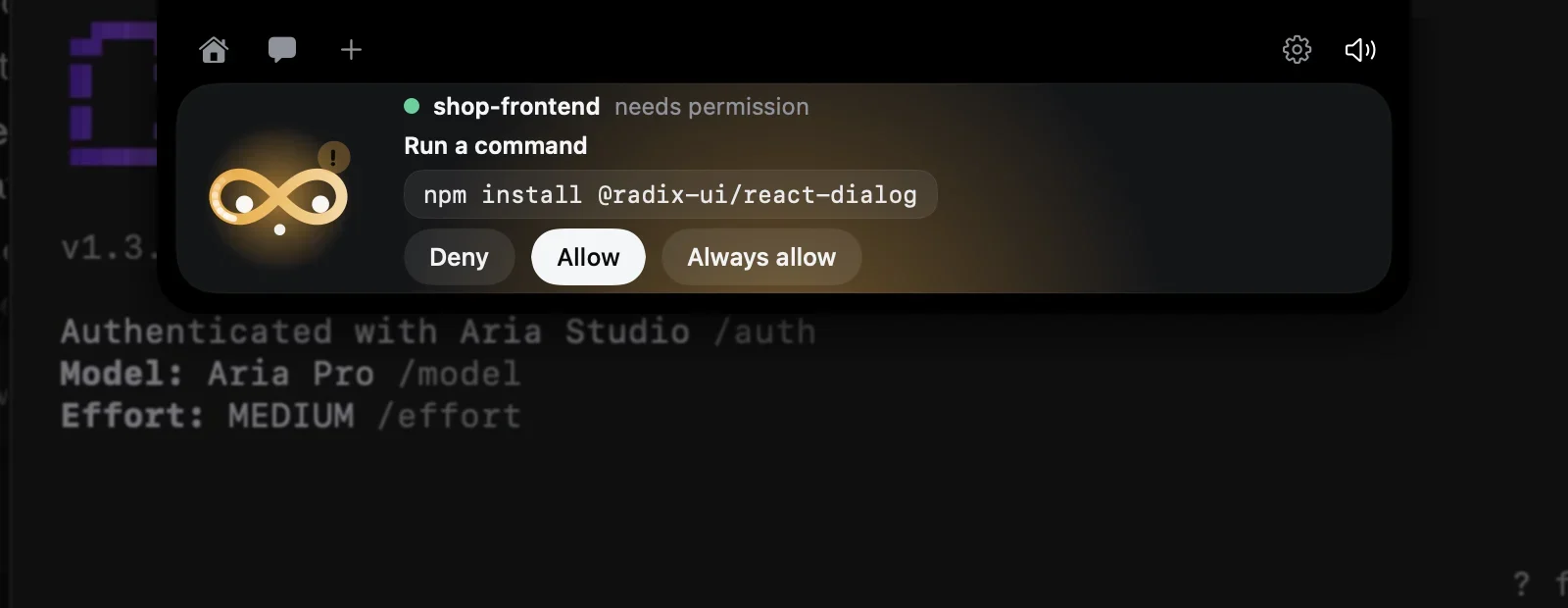
Allow a command without finding the terminal.
When the CLI needs a yes, the island opens by itself with the exact command and the CLI’s own choices. Your click goes straight back to the waiting session; answer in the terminal instead and the card simply goes away.
- Deny, Allow or Always allow — the same options as the terminal
- Several questions queue up: “1/3”
When it is done
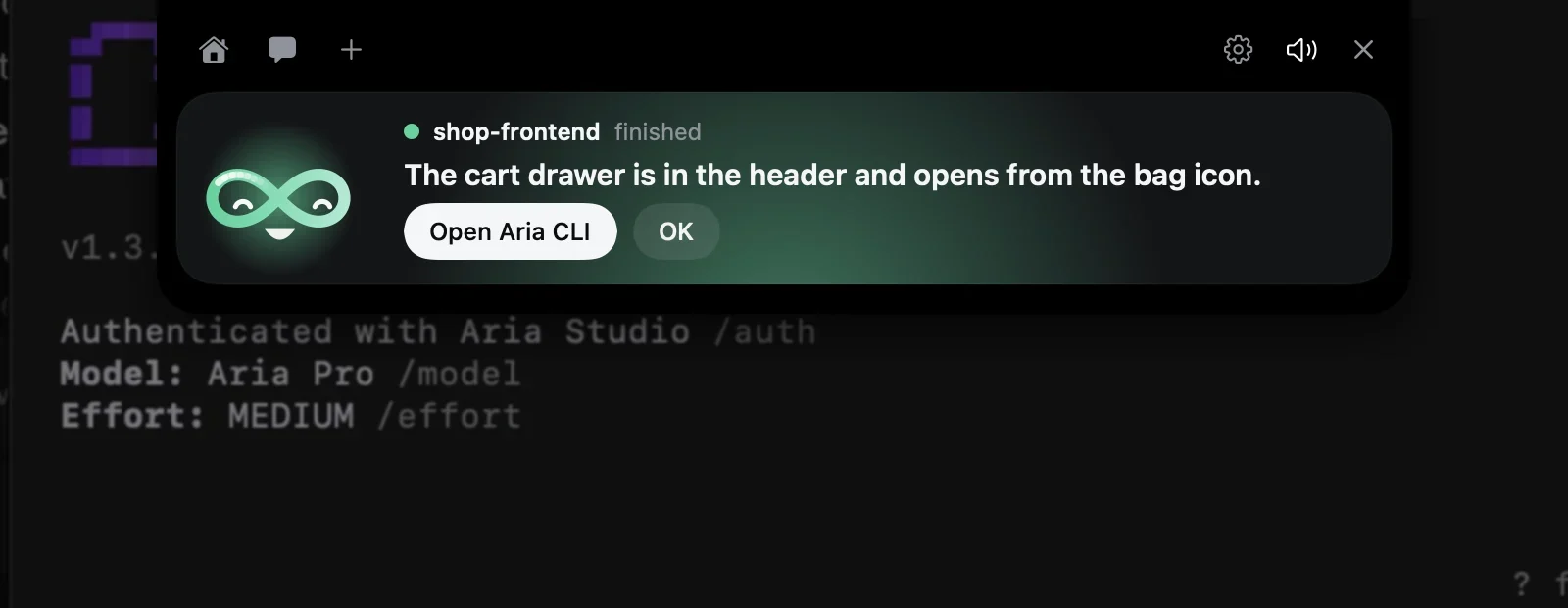
A chime and the last line, when the turn ends.
Finished shows what the CLI said at the end; a failure shows what went wrong. “Open Aria CLI” brings that session’s own terminal forward — or starts a new one when nothing is running.
Ask Aria
A quick question, without opening anything.
The chat answers on your Aria account, with Aria or Aria Pro. Drop a picture or a text file on the character to ask about it.
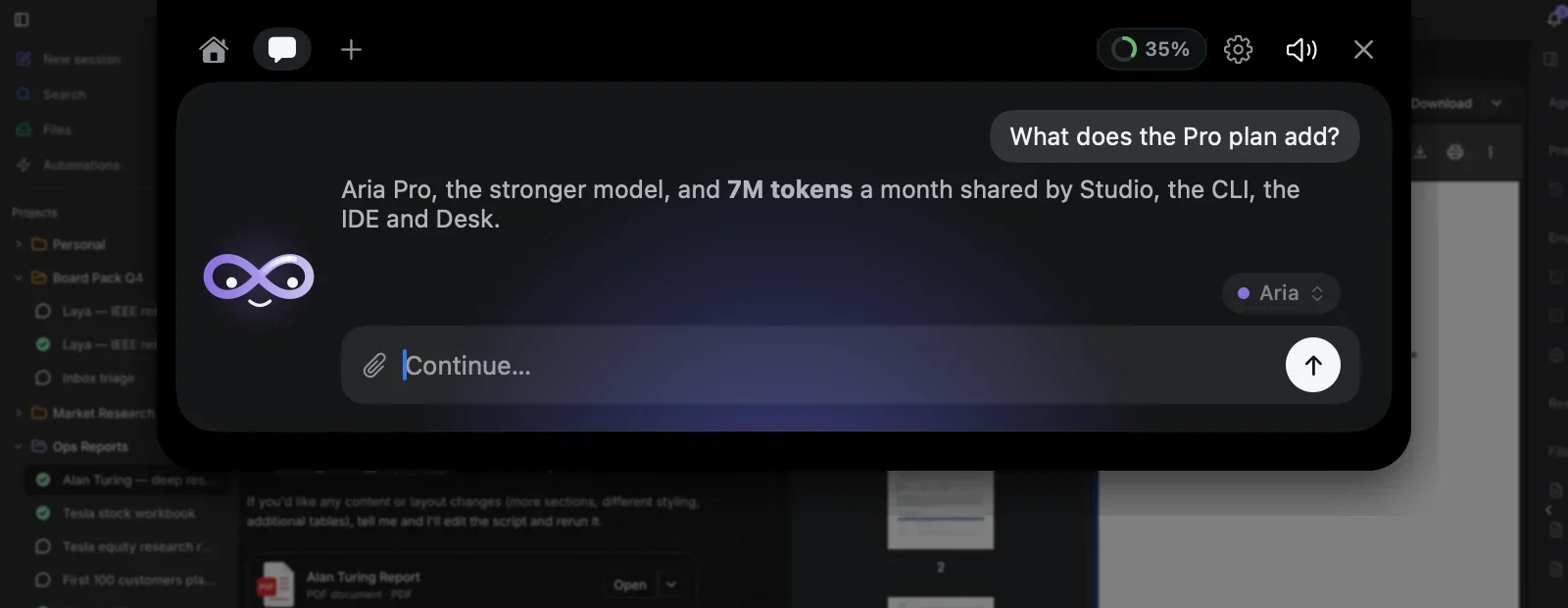
One allowance
This month’s tokens, shared by all four apps.
The ring in the header is the allowance Studio, the CLI, the IDE and Desk draw on together; click it for the details and the reset date.
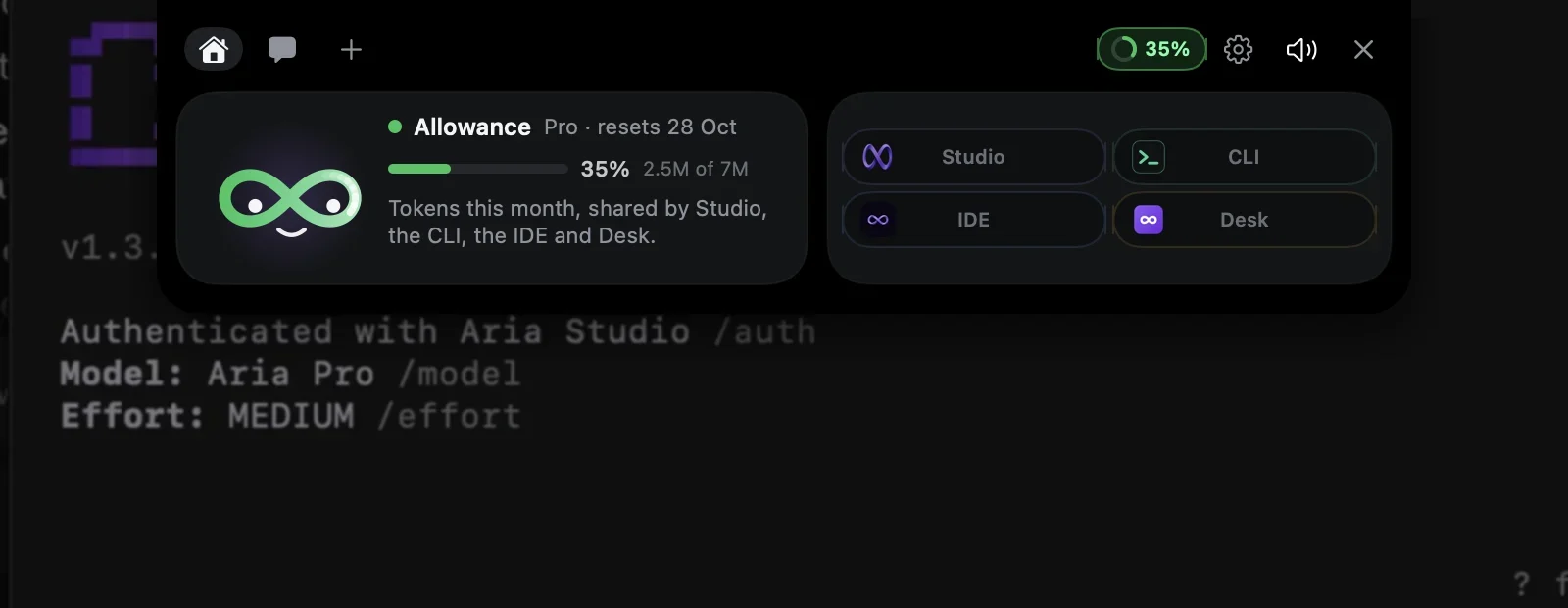
Finds it on its own
The CLI, the IDE and Desk find the Assistant on your computer. Nothing to pair, no keys.
Stays on your computer
It listens on 127.0.0.1 only. A Studio tab is connected once, and only when you click Connect.
Never answers for you
Approvals and questions are settled by your click, or in the product itself — whichever comes first.
Install in one command
Works the same on macOS, Linux and Windows.
$ npm install -g @ariastudioai/ariaRequires Node.js 20 or later. Free to use under the Aria Studio licence.
Frequently Asked Questions
Bring Aria into your terminal
One account, shared with Aria Studio. No separate signup, no separate bill.