
One editor. Two ways to work.
Stay in the full editor with Aria in the sidebar, or open Agent mode for just the conversation — same account, same conversations, and every change still lands as a diff you review.
Free with your Aria Studio account
Aria IDE is our agentic development platform, built so anyone can ship in the agent-first era.
The best way to build with an agent in your editor
It writes the plan before it writes the code
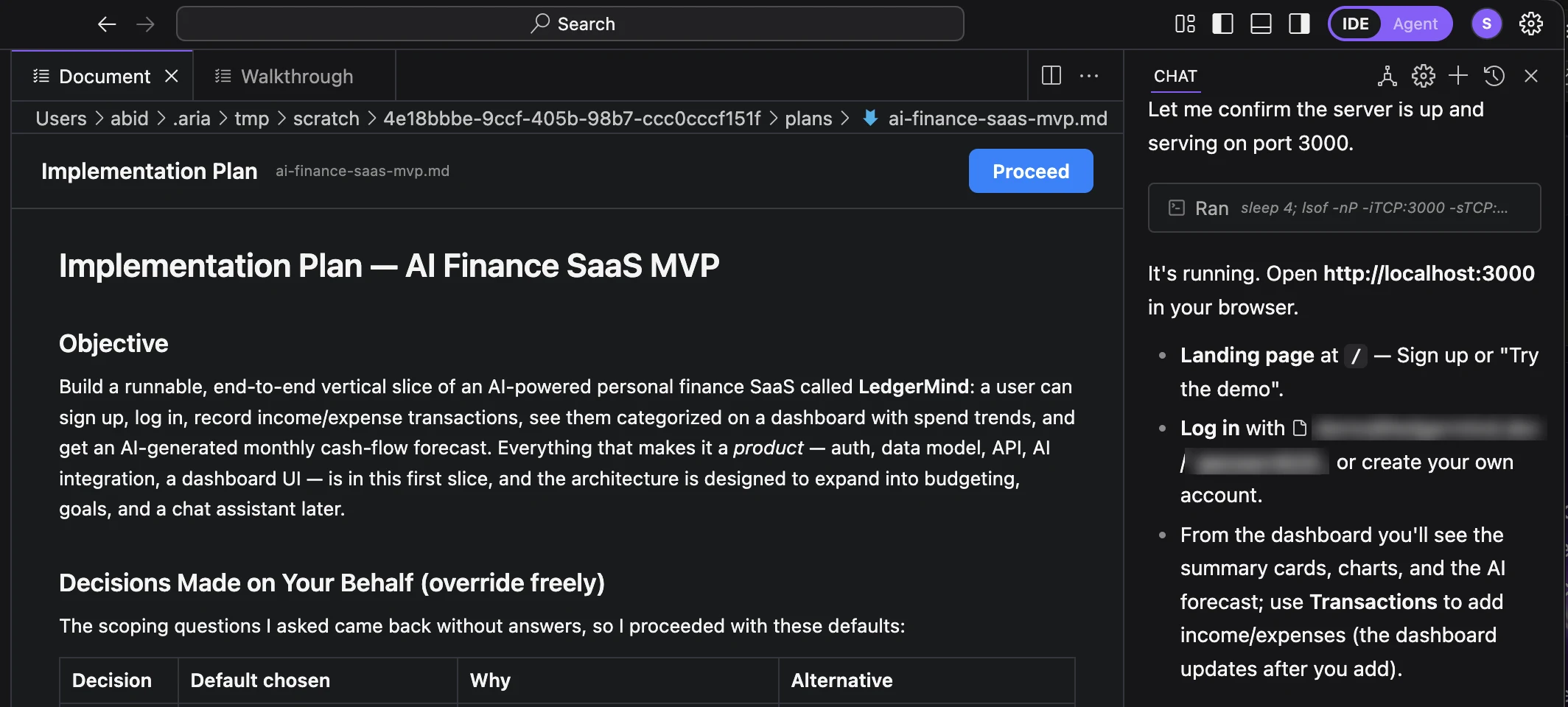
Ask for something substantial and Aria opens an implementation plan first — the objective, the decisions it made for you, and what it chose against. Select any line to leave a comment and send it back, or press Proceed and it starts building. The same pane holds the walkthrough afterwards, so what was promised and what shipped sit side by side.
Every change is a checkpoint you can undo
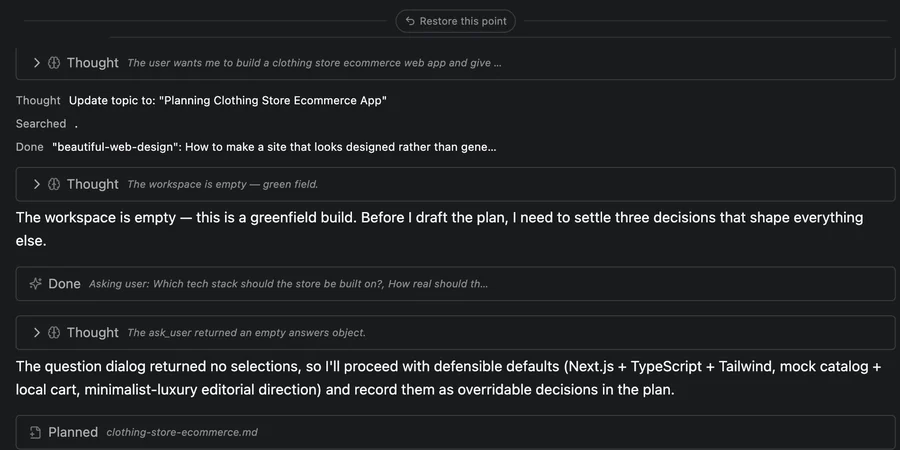
Edits land as checkpoints with per-file accept and reject, not a silent overwrite. Reject a change and the file is exactly as it was, or jump back to any earlier checkpoint and restore it — you're reviewing an engineer's work, not trusting a black box.
One signed-in account. No keys, ever.
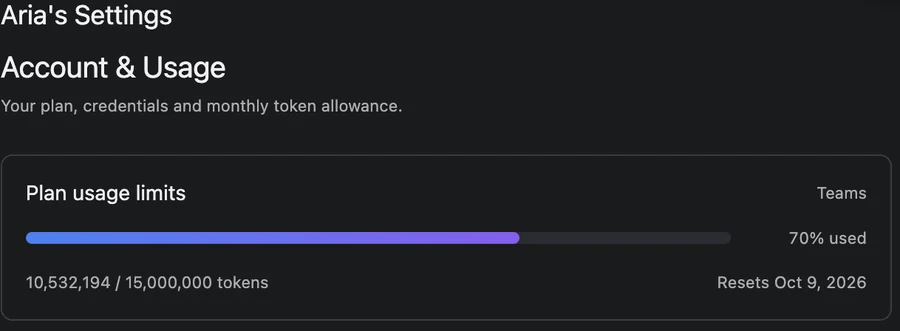
Aria Studio is the only credential Aria IDE needs — the model, your plan and your monthly quota all come from the account you sign in with, the exact same account and quota the CLI and the web app already use. Nothing to generate, paste or rotate.
Opens where the work is
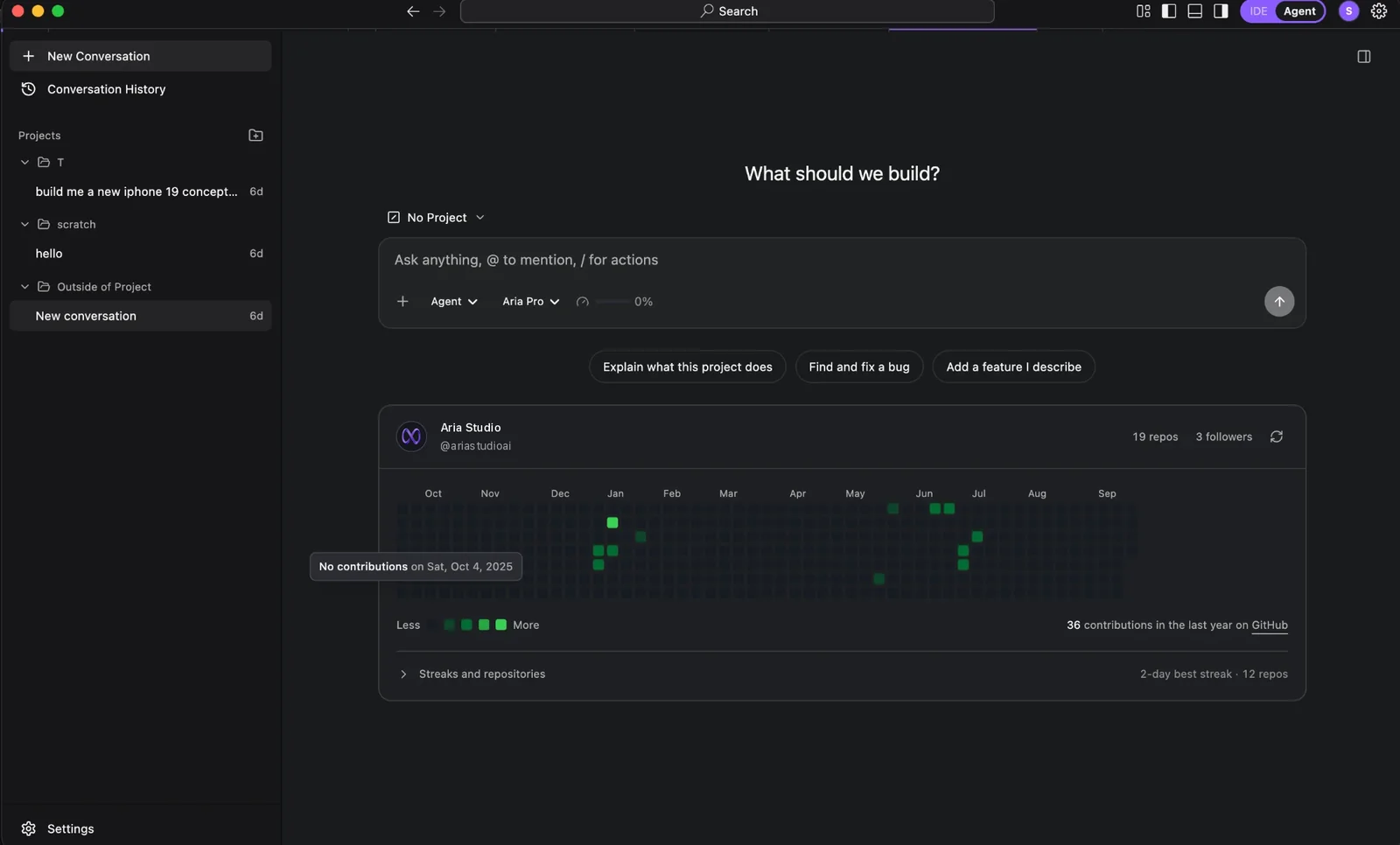
Agent mode starts on the project you pick, with your GitHub activity beside it and three ways in — explain this project, find and fix a bug, or add a feature you describe. The model and what is left of your monthly quota sit in the composer, so there is nothing else to set up.
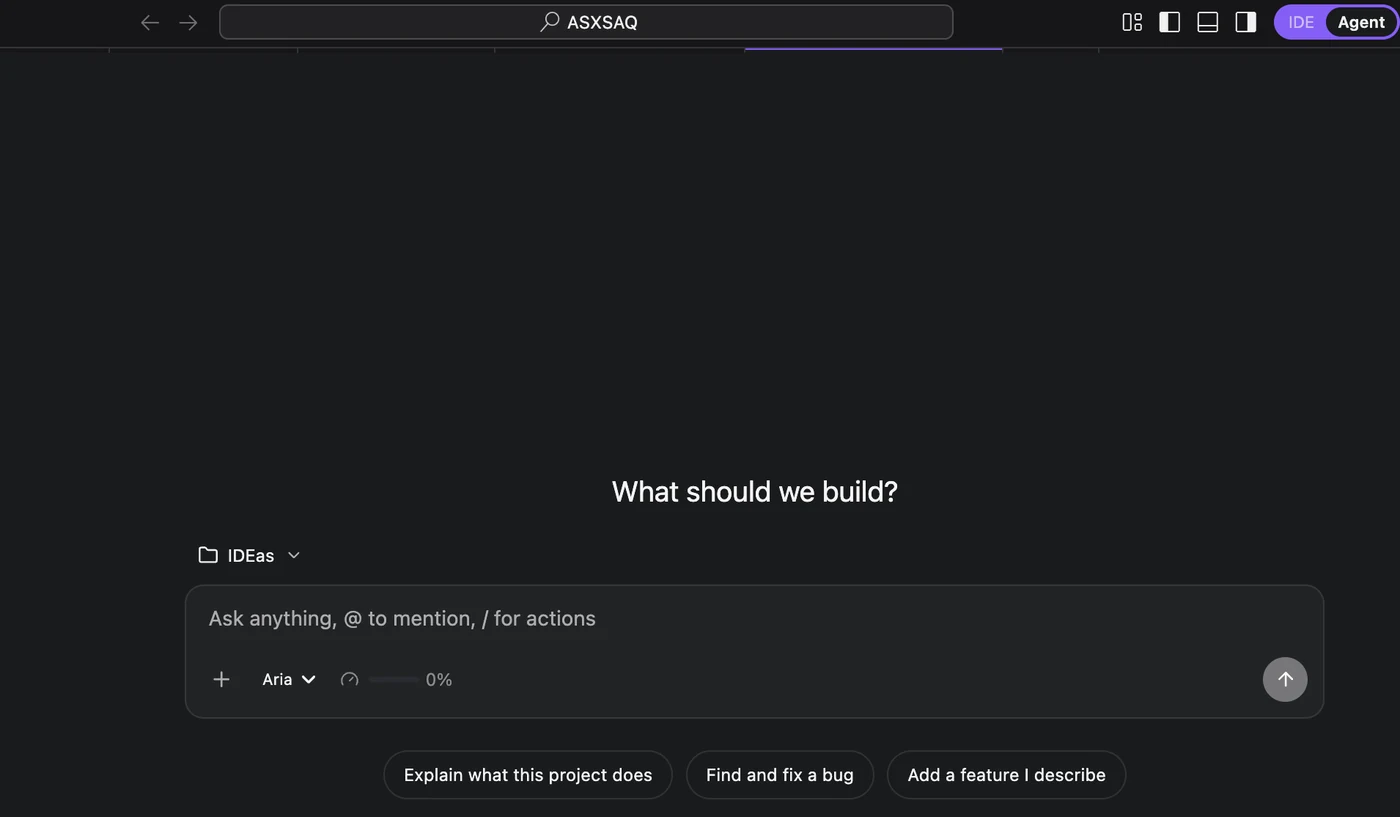
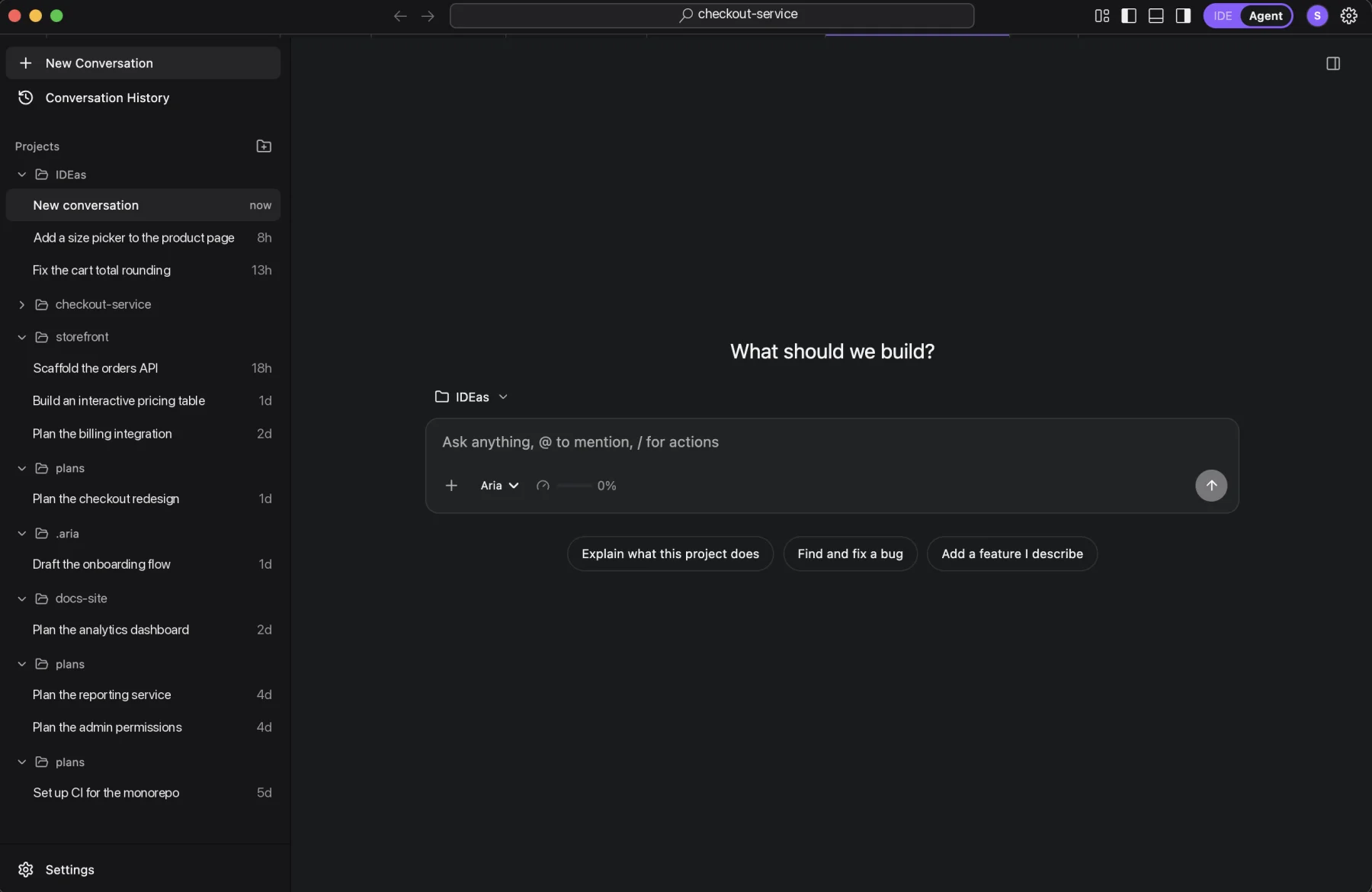
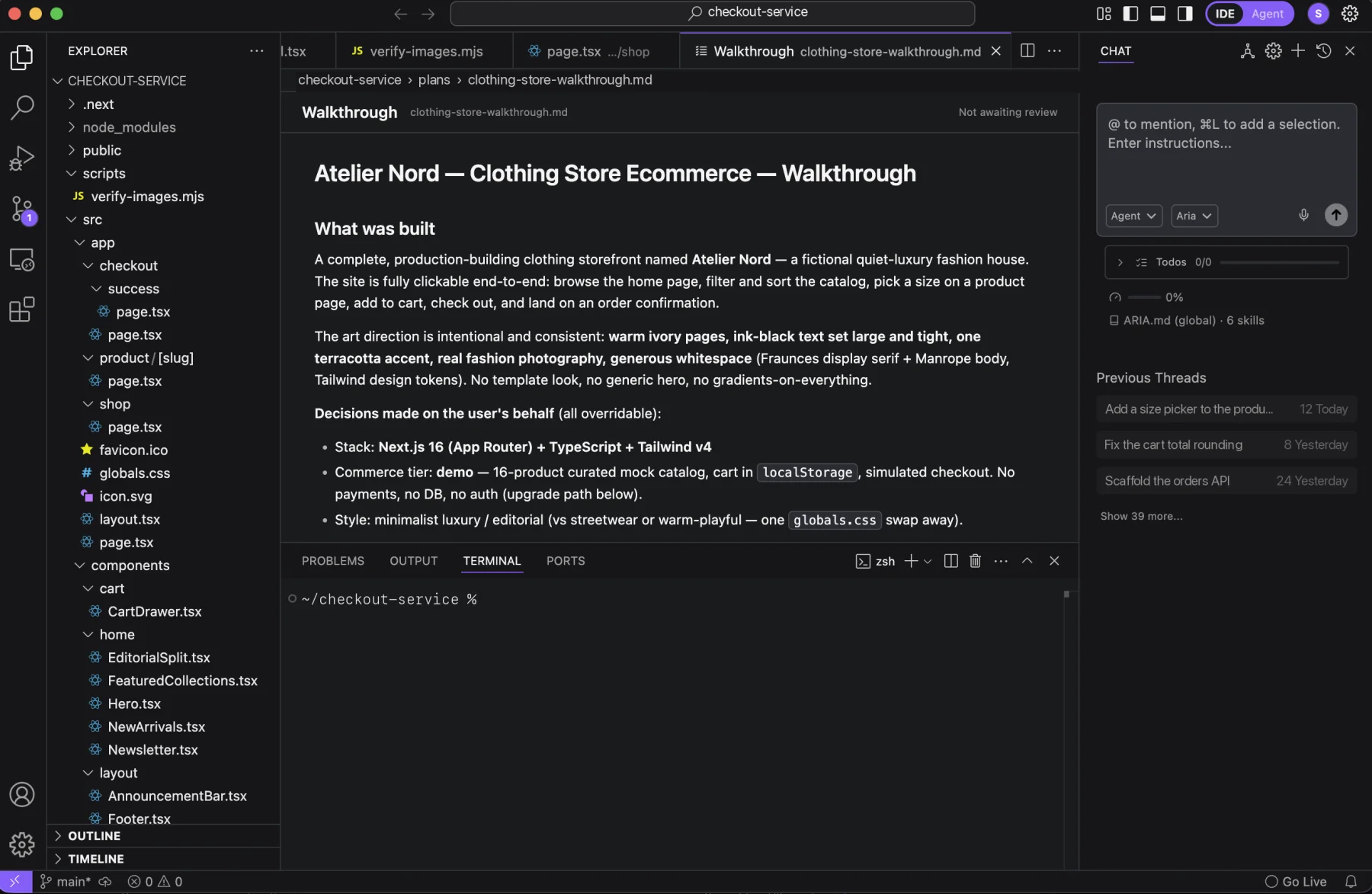
Switch between IDE and Agent in one click
One editor, two surfaces. Stay in the full editor with Aria in the sidebar, or flip to Agent mode when you just want the conversation and the result — same account, same conversations, same project. The toggle sits in the title bar, or press ⌘⇧A.

IDE
The full editor — files, terminal, and the agent in the sidebar.
Agent
Just the conversation. Aria works, and shows you what it produced.
Two ways to work in Aria IDE
Switch anytime with the toggle in the title bar, or ⌘⇧A — same account, same conversations, same quota either way.
Aria Assistant
It works. You see it. You answer it.
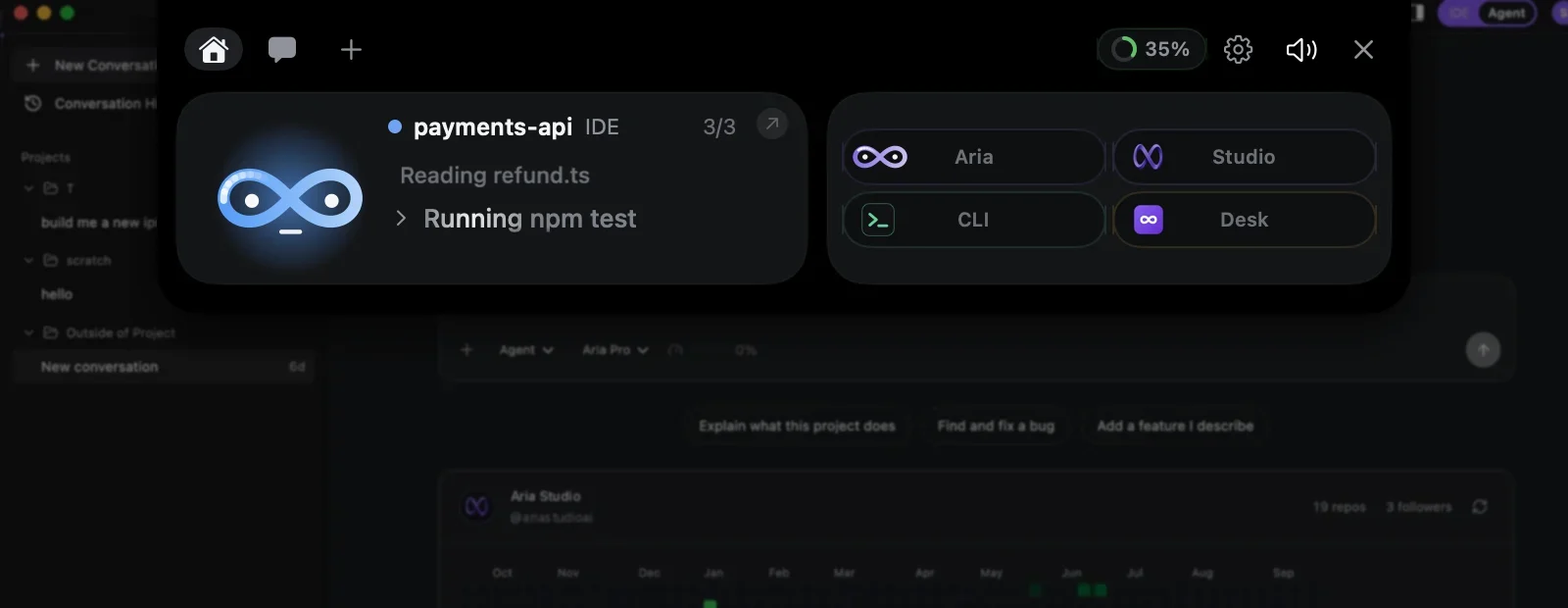
Aria IDE comes with Aria Assistant, the island at the top of your screen. The editor’s agent reports to it, and asks it, so you can approve its next step from wherever you are.
Included with Aria IDE on macOS and Windows. Settings → General has the switch.
While it works
The agent keeps going while you leave the editor.
Aria IDE reports its agent to the island: the project, the request and each tool it runs. Switch to the browser or a call and still see whether the tests are running.
- Comes with Aria IDE on macOS and Windows
- Turn it on or off in Settings → General
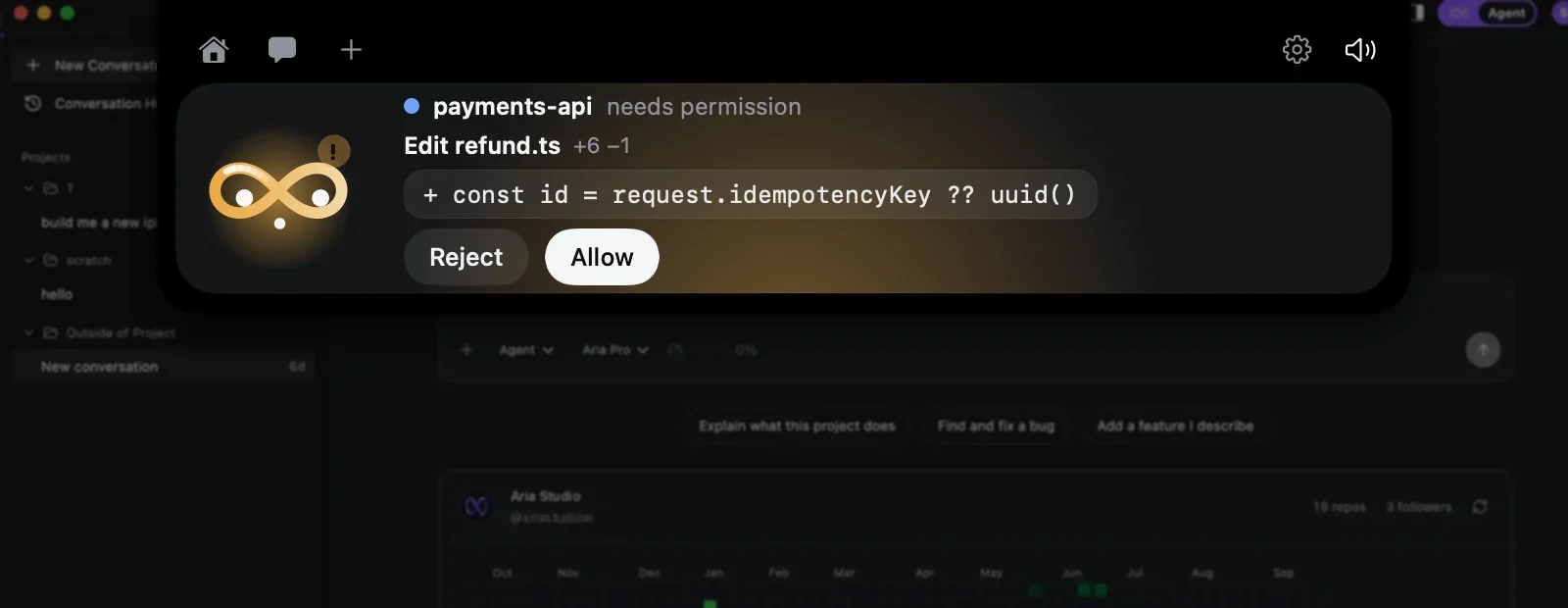
Approvals
Review an edit and allow it from anywhere.
File edits and commands the IDE wants to make arrive as a card with the change itself and the size of the diff. Reject or Allow, and the agent continues where it stopped.
Questions
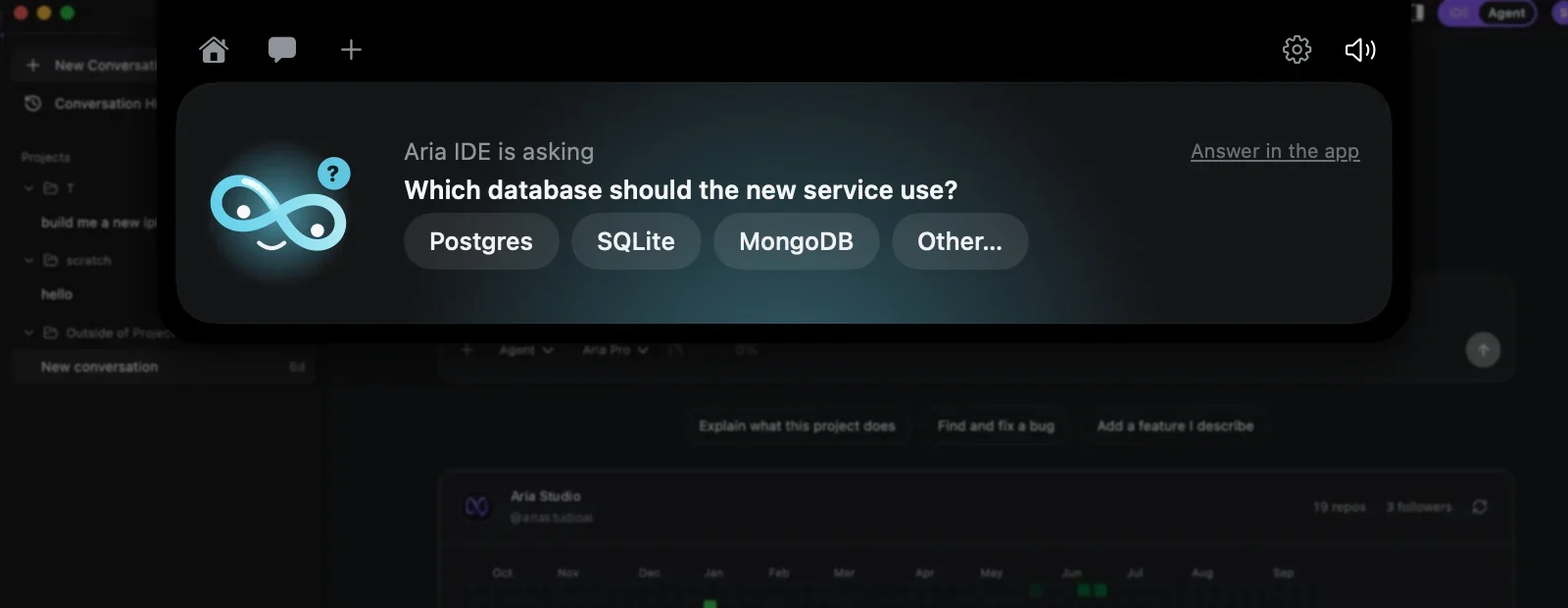
Answer the agent’s questions in a click.
When the agent asks rather than acts, its choices become buttons, “Other…” takes a typed answer, and “Answer in the app” hands the question back to the editor.
- Keys 1–9 pick a choice
- Nothing is answered unless you answer it
Ask Aria
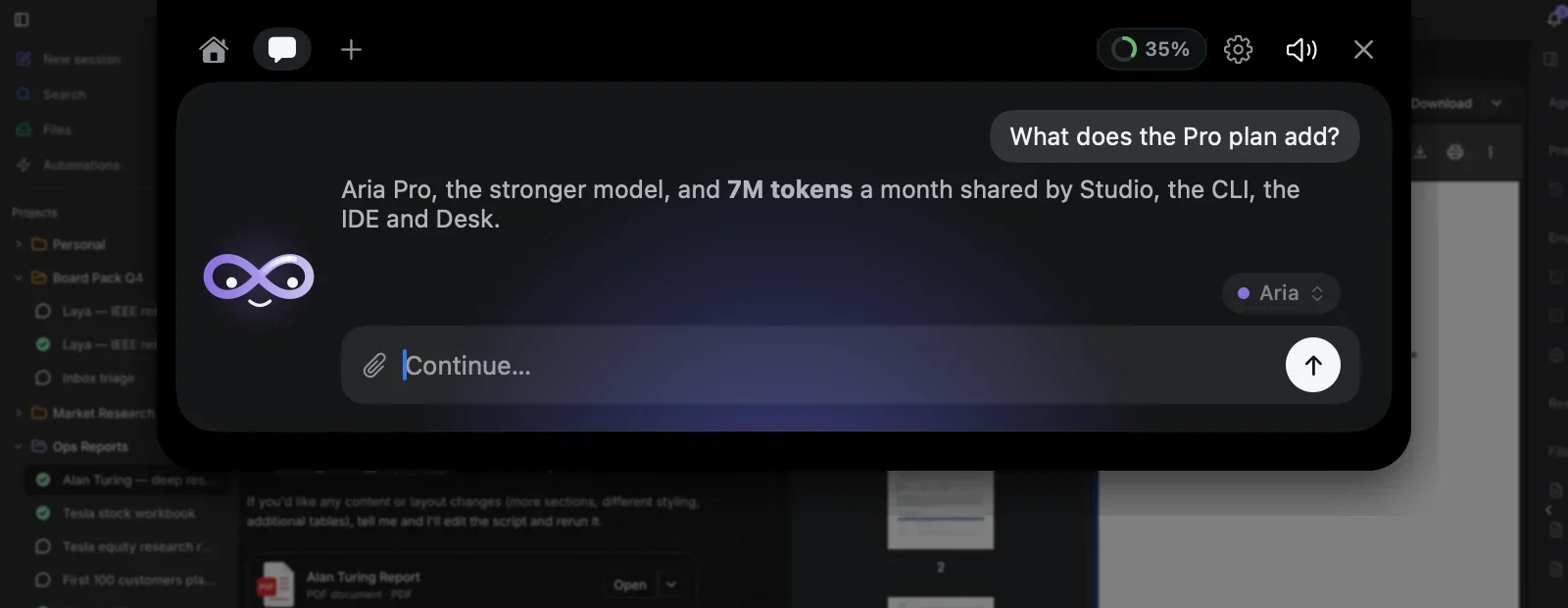
A quick question, without opening anything.
The chat answers on your Aria account, with Aria or Aria Pro. Drop a picture or a text file on the character to ask about it.
One allowance
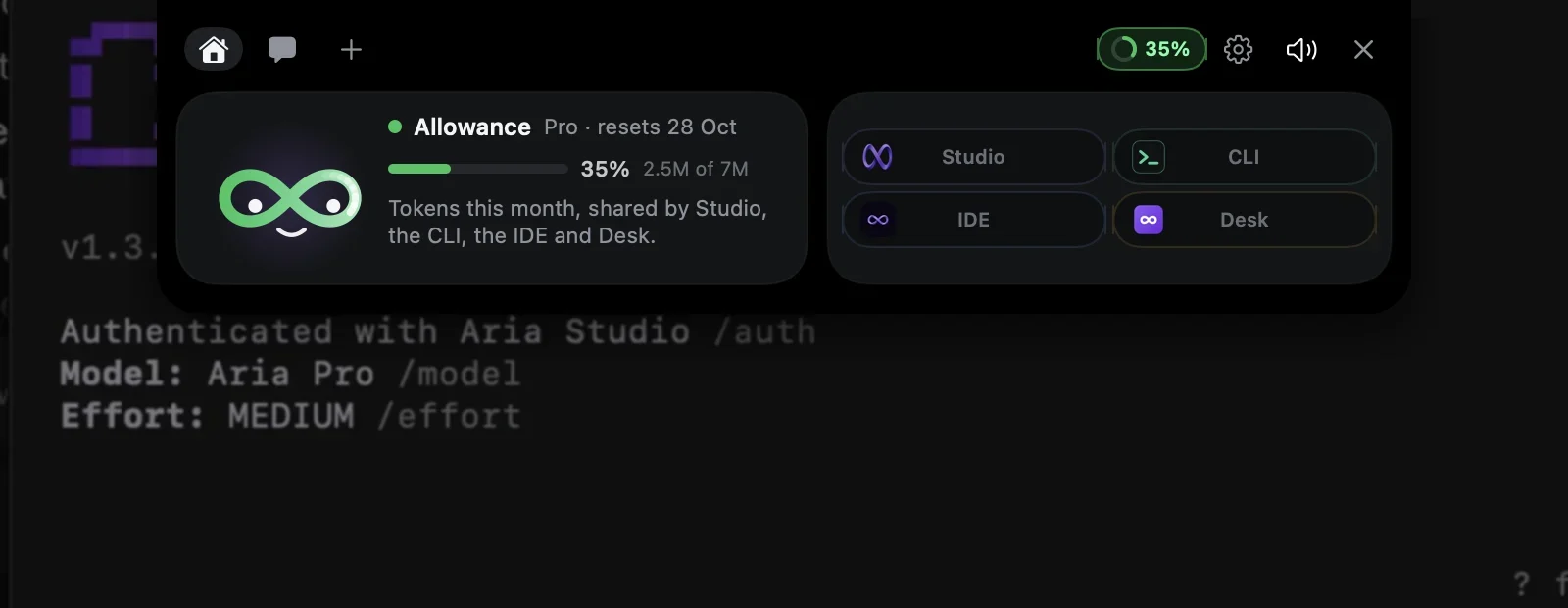
This month’s tokens, shared by all four apps.
The ring in the header is the allowance Studio, the CLI, the IDE and Desk draw on together; click it for the details and the reset date.
Finds it on its own
The CLI, the IDE and Desk find the Assistant on your computer. Nothing to pair, no keys.
Stays on your computer
It listens on 127.0.0.1 only. A Studio tab is connected once, and only when you click Connect.
Never answers for you
Approvals and questions are settled by your click, or in the product itself — whichever comes first.
Fits the stack you already have
Push to GitHub or GitLab, connect Supabase, ship to Vercel, Netlify or GitHub Pages — and keep the extensions you already use, installed from Open VSX. Nothing here asks you to learn a new toolchain.
Read the docs


Get Aria IDE on your machine
One download, then sign in with the Aria Studio account you already have. Windows and macOS builds come from the same source and update themselves.
The build list could not be loaded just now — refresh, or try again in a moment.
No new plan. No new bill.
Aria IDE runs on your Aria Studio plan — the same account, the same token quota, wherever you work.
One account
Sign in with the Aria Studio account you already have. The editor, the web app and the CLI all authenticate against it — there is no separate IDE licence to buy or manage.
One token meter
Work you do in the editor draws from the same monthly allotment as everything else on your plan. One balance to watch, one invoice, no second meter running in the background.
Your plan travels
Start a project in the browser, keep going in the editor, finish in the terminal. The same limits, the same models and the same projects follow you between them.
Start on the Free plan — upgrade only when you need more room.
Try Aria IDE today
Install it, sign in with your Aria Studio account, and your plan comes with you.
Create free account