Describe the outcome.
Get the finished file.
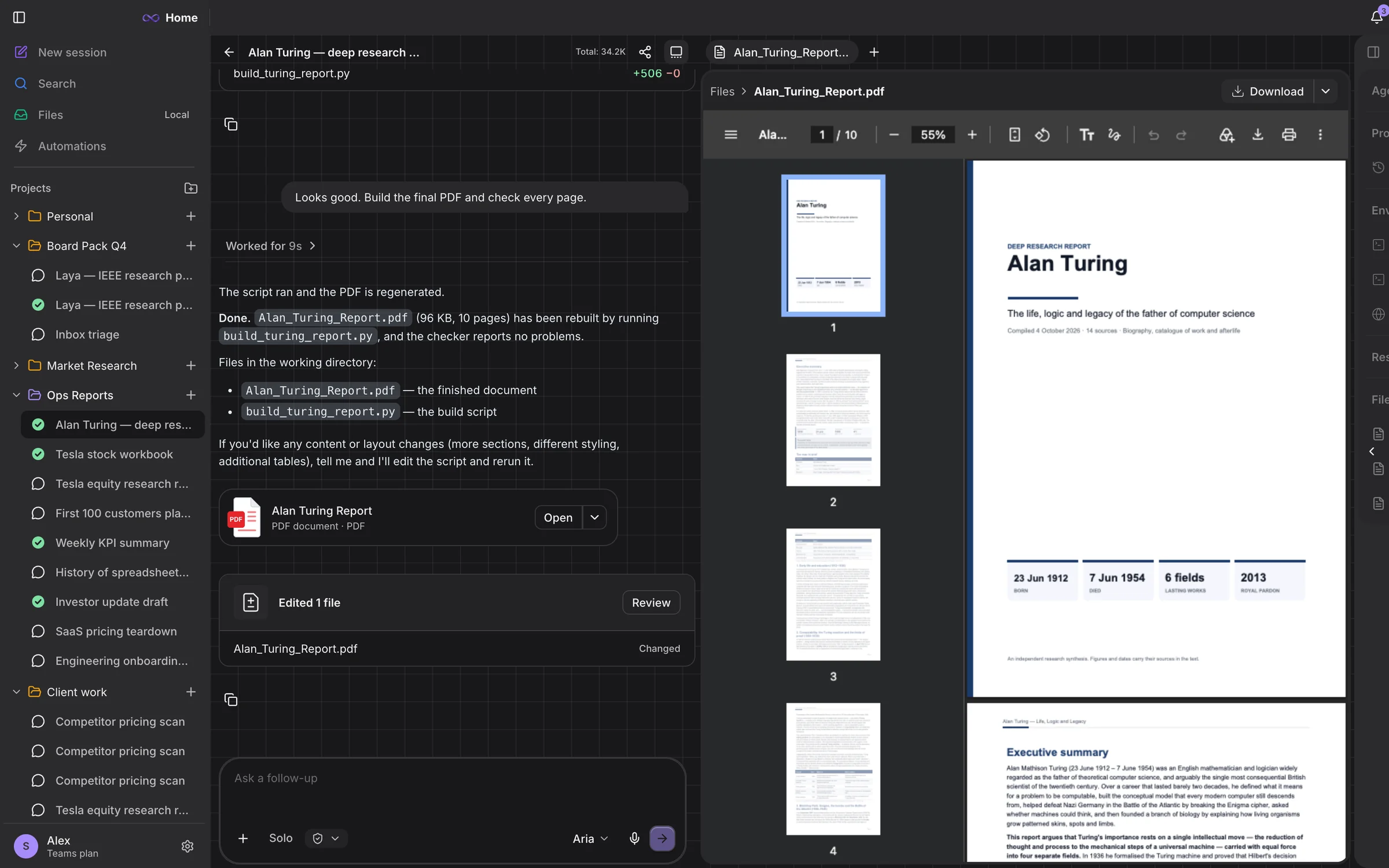
Aria Desk researches, writes and builds Word reports, Excel models, slide decks, PDFs and web pages — then checks every page before it hands them to you.
Research the EV charging market in India and write a Word report with charts and sources
For Windows and macOS
Uses your Aria Studio account — the same plan as Studio, the CLI and the IDE.
Connects to the tools your work already lives in
 Google Workspace
 Slack
Slack Notion
 Linear
 Jira & Confluence
 GitHub
 Figma
Figma Stripe
 Asana
Asana Hugging Face
 Supabase
 Canva
Canva Intercom
 Vercel
 Box
Box ExaGoogle WorkspaceSlackNotionLinearJira & ConfluenceGitHubFigmaStripeAsanaHugging FaceSupabaseCanvaIntercomVercelBoxExa
What it makes
Finished files, not drafts.
Aria writes the content; its own documents engine owns the layout — real heading styles, styled tables, native charts, covers, speaker notes. Every file below was made by Aria Desk and is shown as it came out.
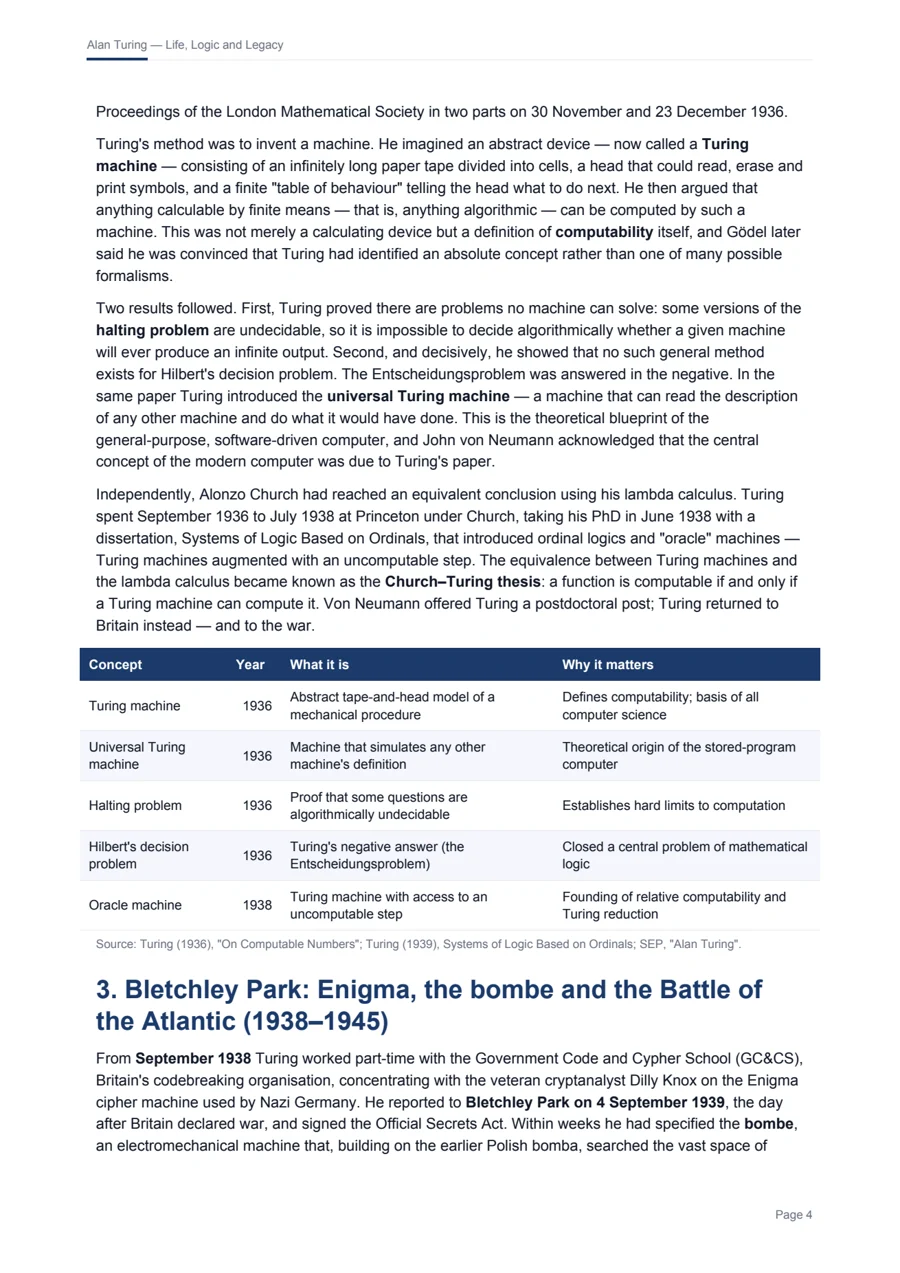
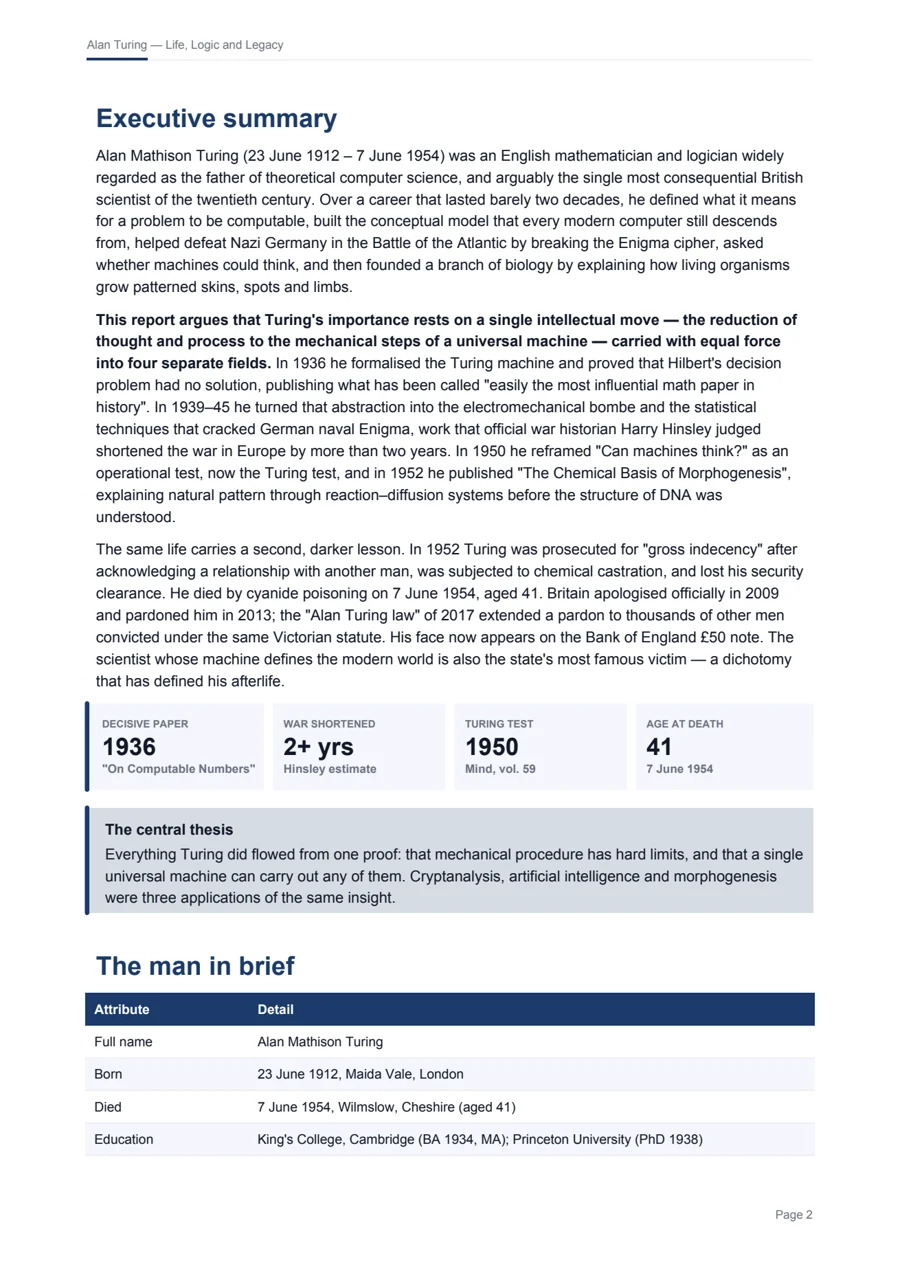
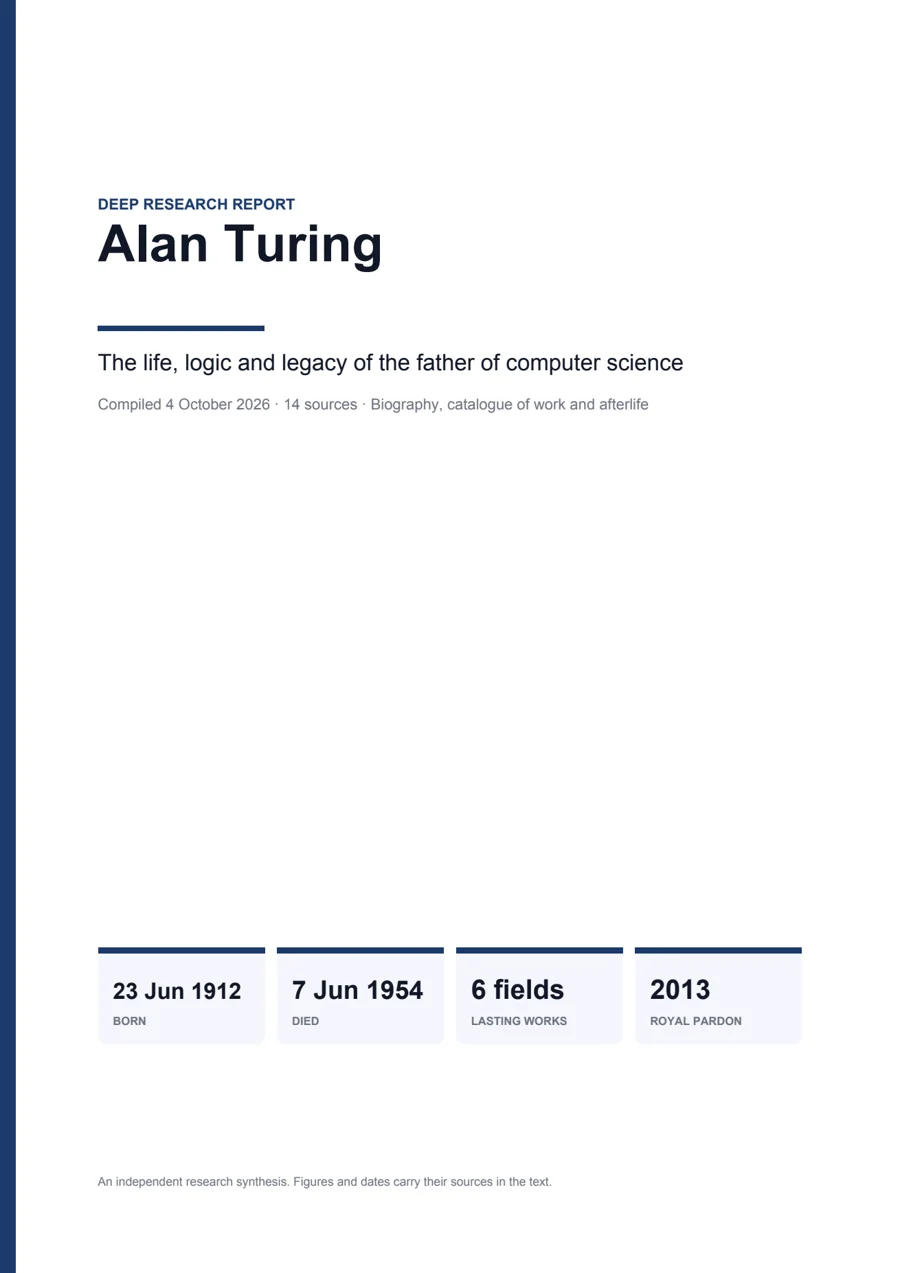
Alan Turing — deep research report
10 pages · 14 sources · checked, then every page looked at
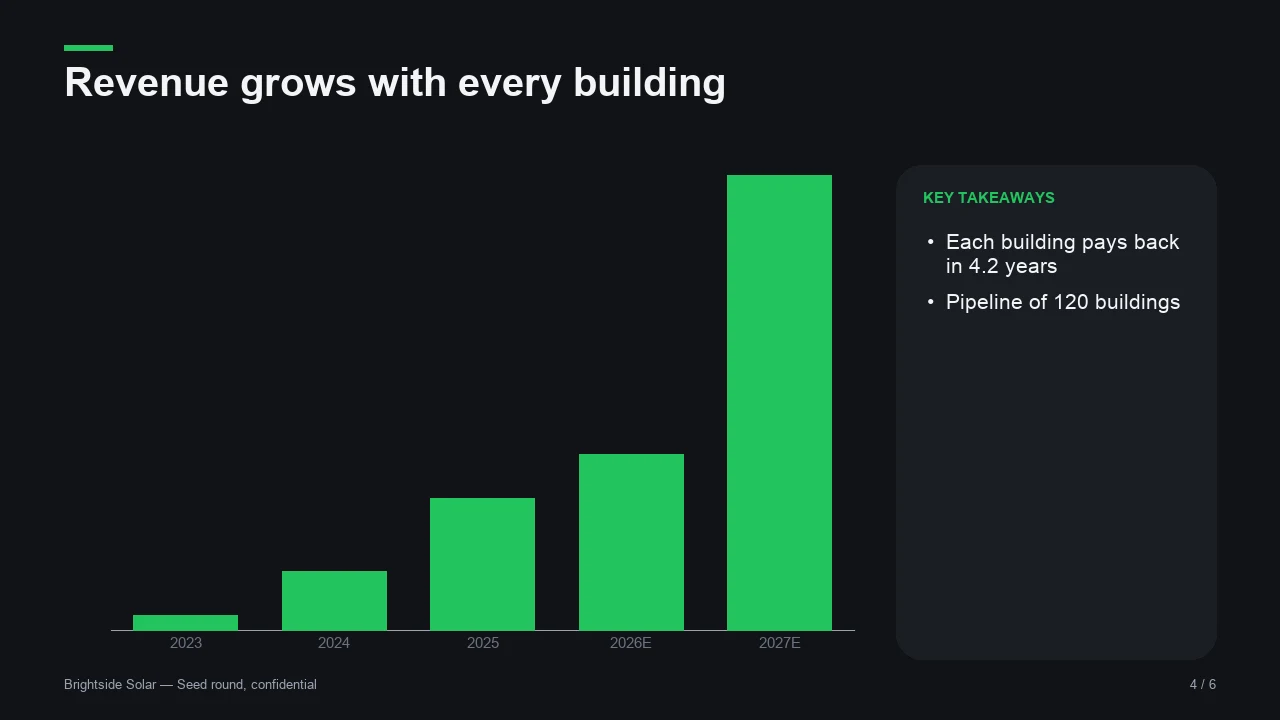

Brightside Solar investor deck
6 slides · native, editable chart · speaker notes
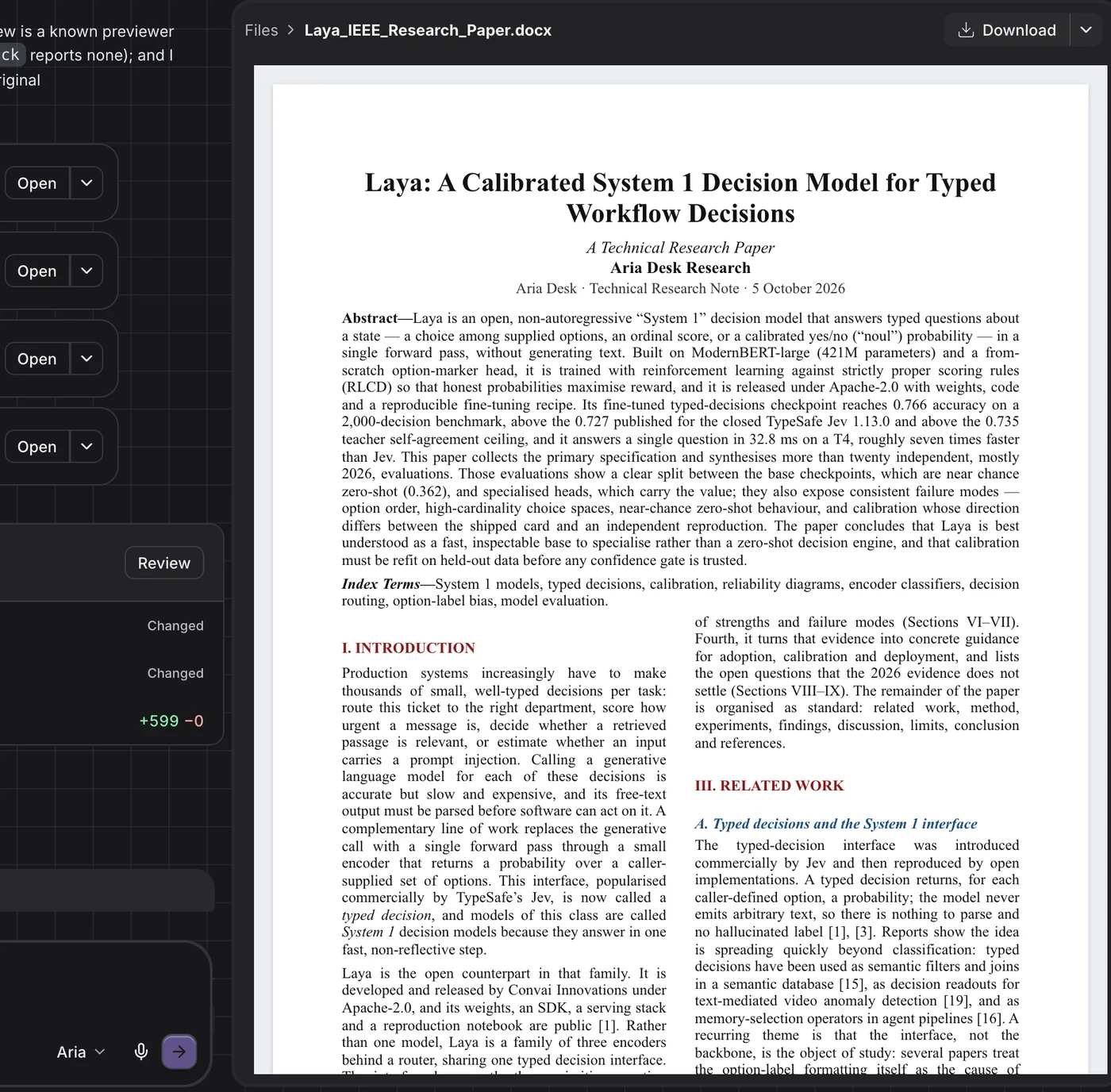
IEEE research paper
5,824 words · 21 sections · 5 tables · 4 figures
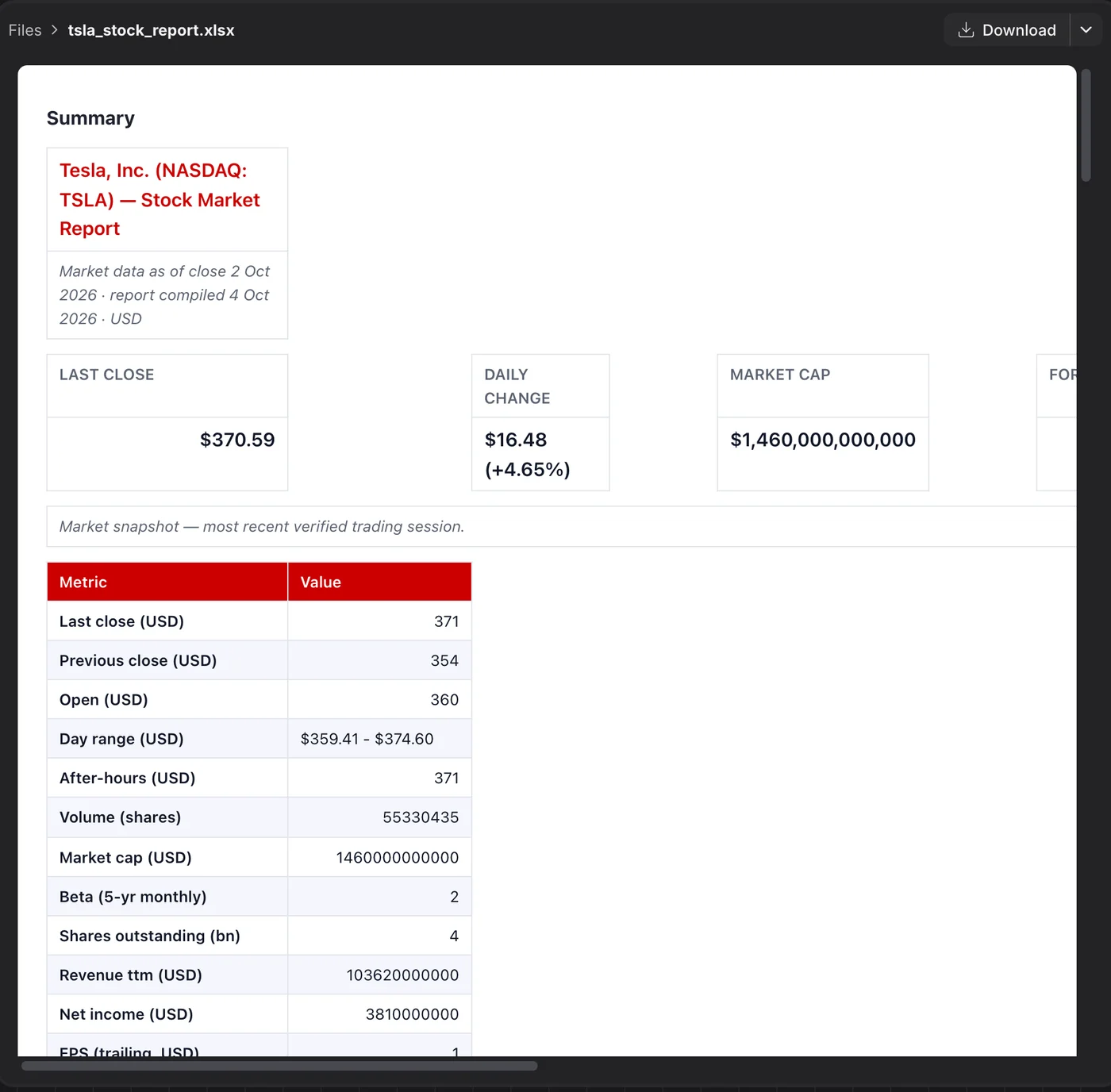
Tesla stock workbook
7 sheets · live formulas · 4 charts
Checked before you see it
Every file goes through the same check before Aria calls it done, and slides and PDF pages are rendered to images it looks at.
$ python -m aria_docs check Laya_System1_IEEE_Paper.docx
✓ Laya_System1_IEEE_Paper.docx: no problems found
content: 5,824 words · 21 sections · 5 tables · 4 figures
How it works
One sentence in. A file out.
You stay on the outcome. Aria does the steps in between, in the open — every search, page and file it touches is in the conversation.
Describe the outcome
Say what you need, pick a format or a template, attach the files it should use. Ask in a sentence — Aria asks back only when it has to.
It researches
Searches the web, reads the pages and your files, and keeps a ledger of every figure with its source and date as it goes.
It builds the whole draft
Writes every section at full length in one pass. The documents engine handles covers, styles, tables and charts — no layout code.
Checked, then yours
Each file is checked and its pages looked at before you get it. Preview it beside the chat, download it, or ask for a change.
Features
Everything an assistant needs to finish the job.
Templates
Start from a design, not a blank page.
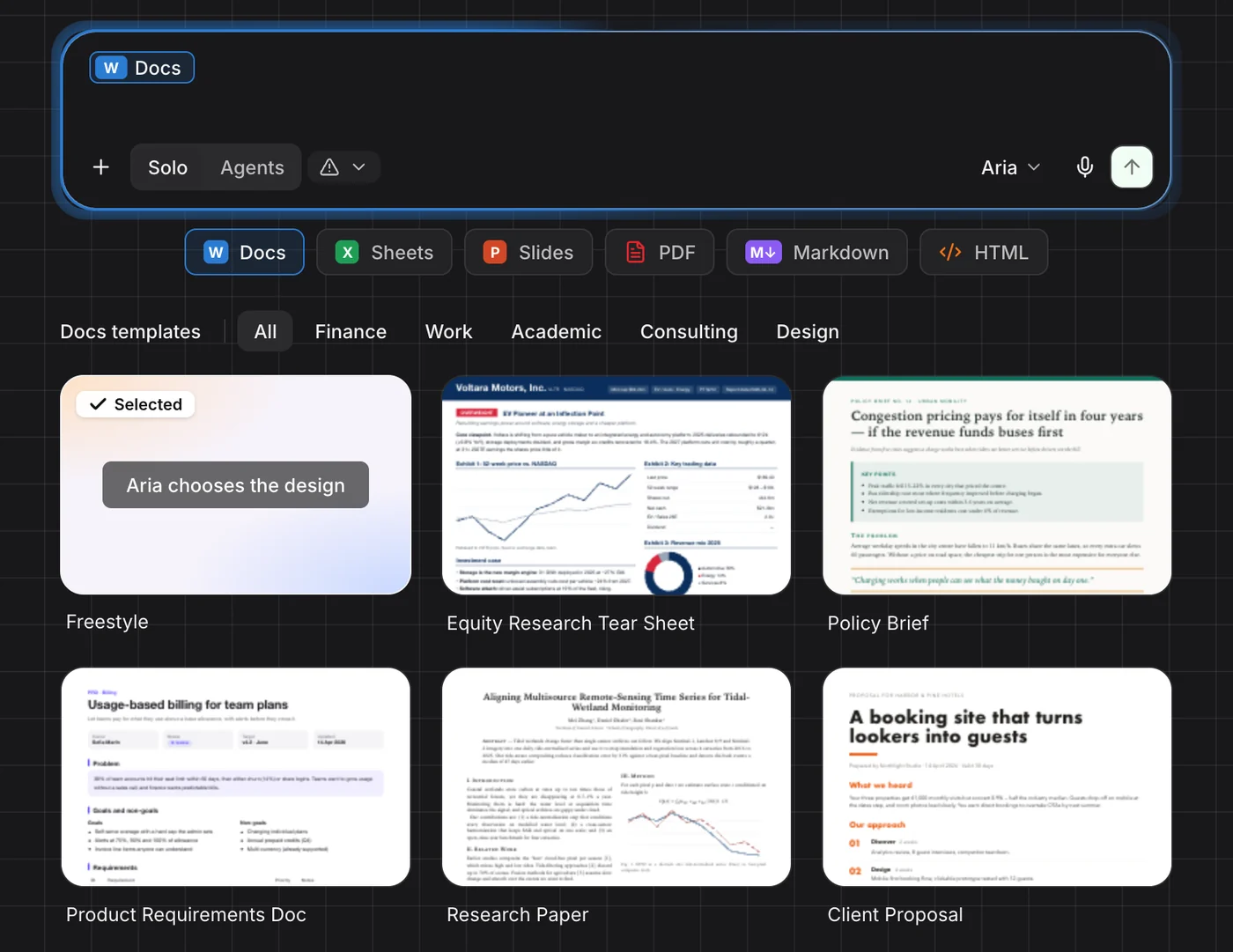
Choose a format under the composer and a gallery of templates opens below it. Pick one and it travels with your request: Aria writes your content, the template brings the colours, type and layout.
- 36 templates across Word, Excel, PowerPoint, PDF, Markdown and web
- Equity tear sheets, three-statement models, pitch decks, invoices, research papers
- Several formats at once — one request, matching files
Agents mode
Hand the big jobs to a team.
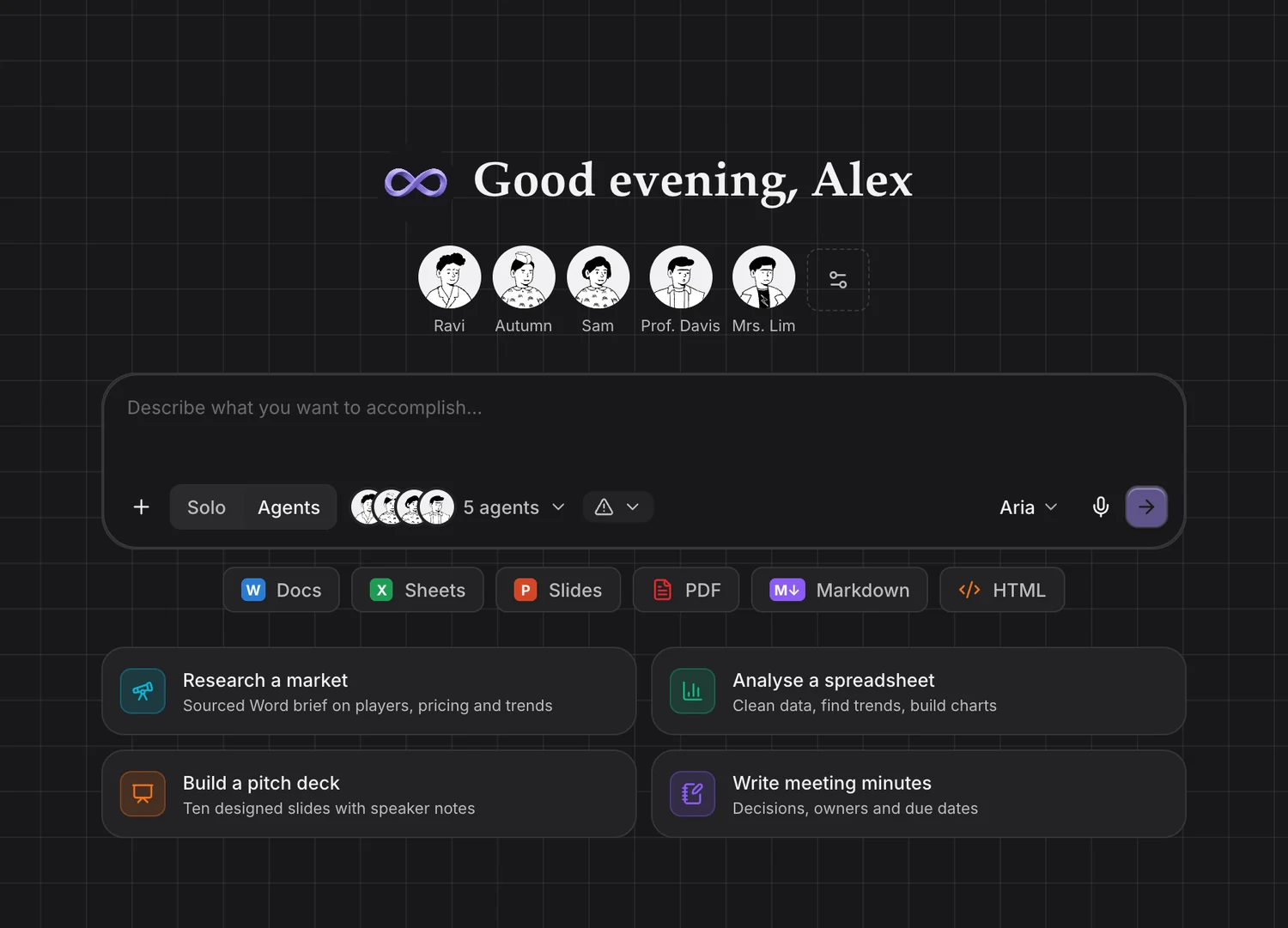
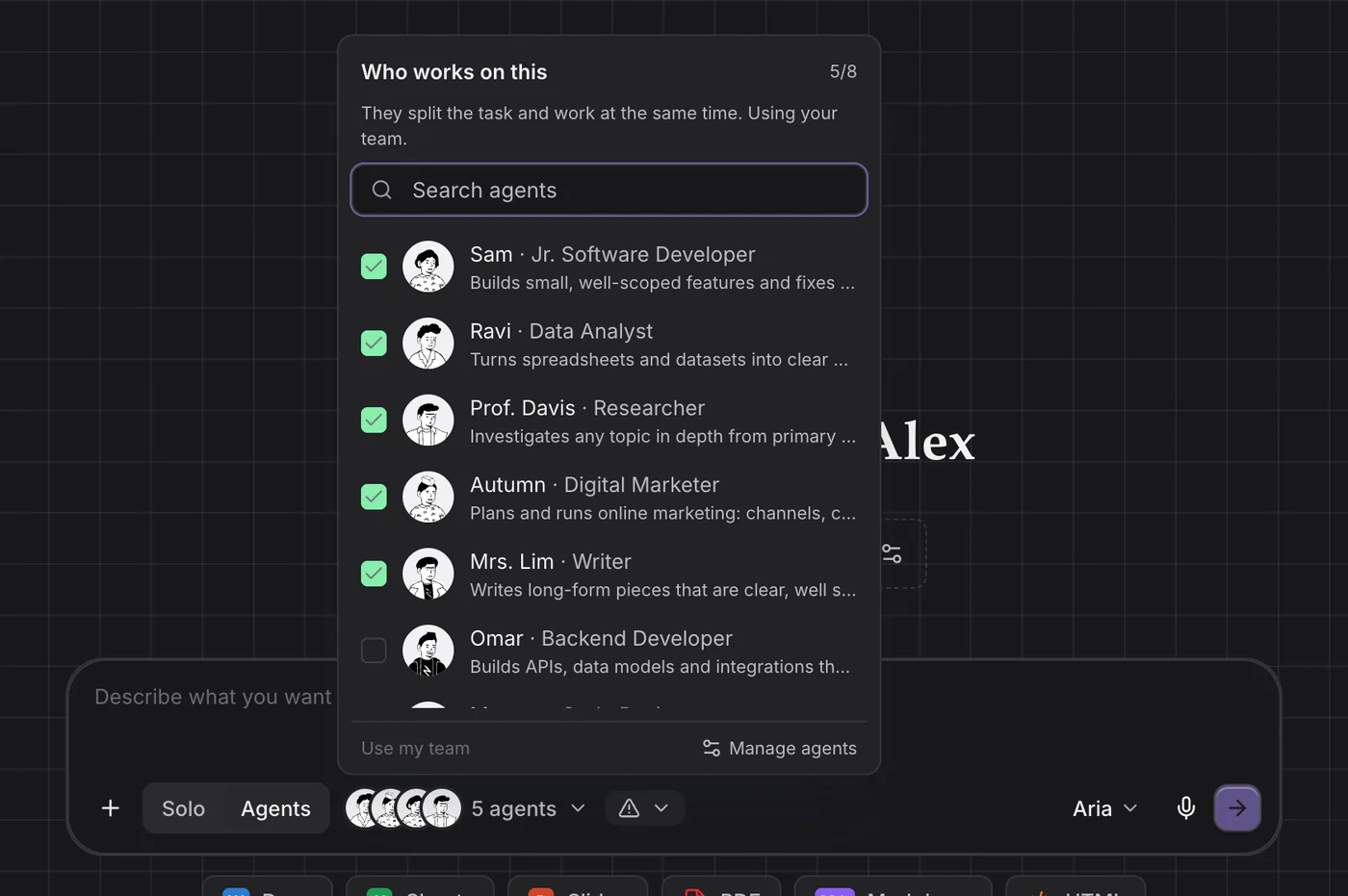
Switch the composer to Agents and a coordinator splits your request across specialists who work at the same time — research, analysis, writing and design in parallel — then brings their parts back into one result.
- 45 specialists, each with its own role and way of working
- Use your team, or hand-pick up to eight for one task
- Move between Solo and Agents in the same session
Connectors
Works where your work already lives.
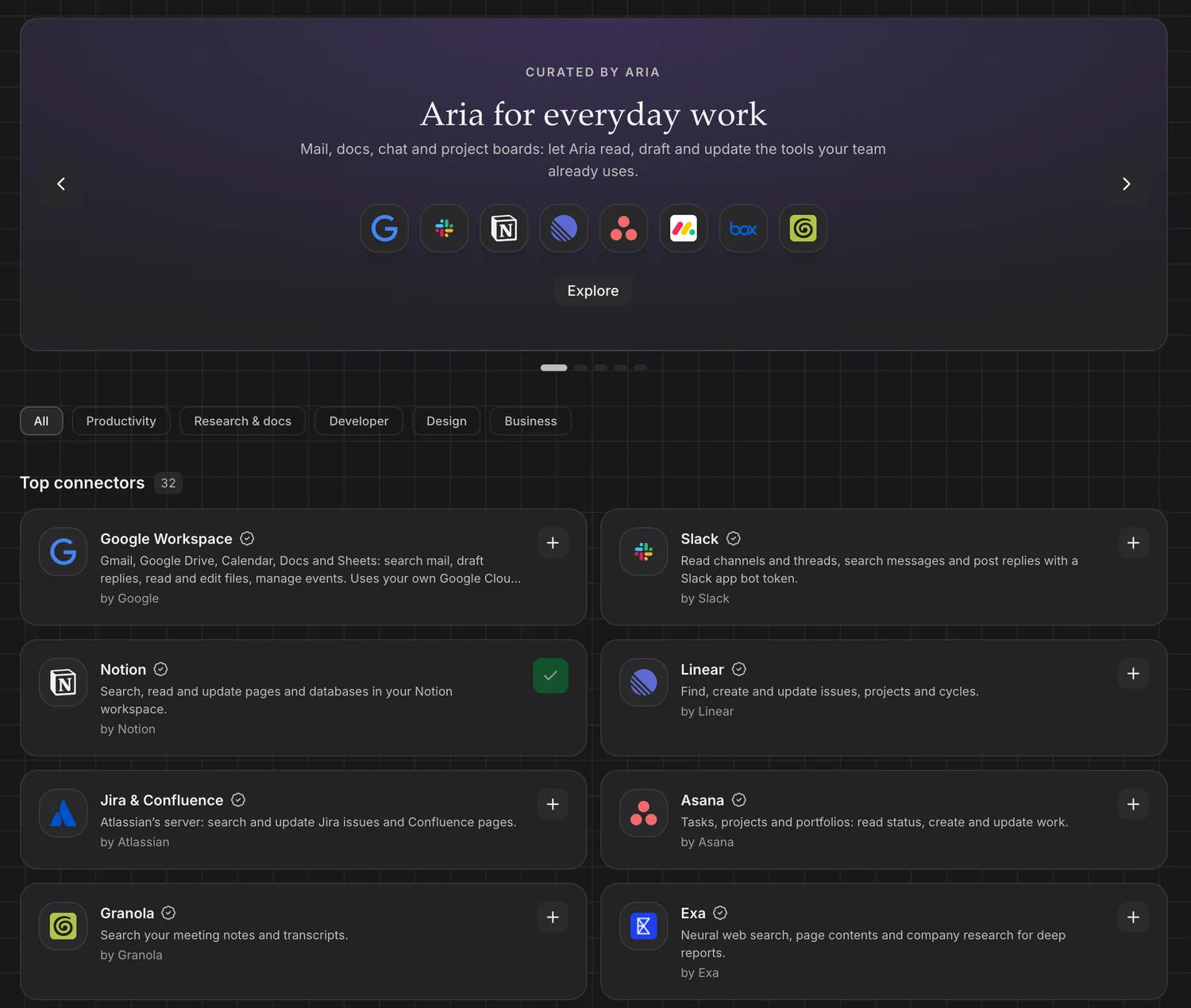
Add Google Workspace, Slack, Notion, Linear, GitHub, Figma, Stripe and more from the built-in catalog. Aria can then search your mail and files, read the thread, update the ticket and post the summary — as part of the same task.
- 32 connectors in the catalog, added in a click
- Sign in once, or paste a key — or bring your own MCP server
- Mention a connector in the composer to use it on purpose
Desktop apps
Uses the apps on your computer.
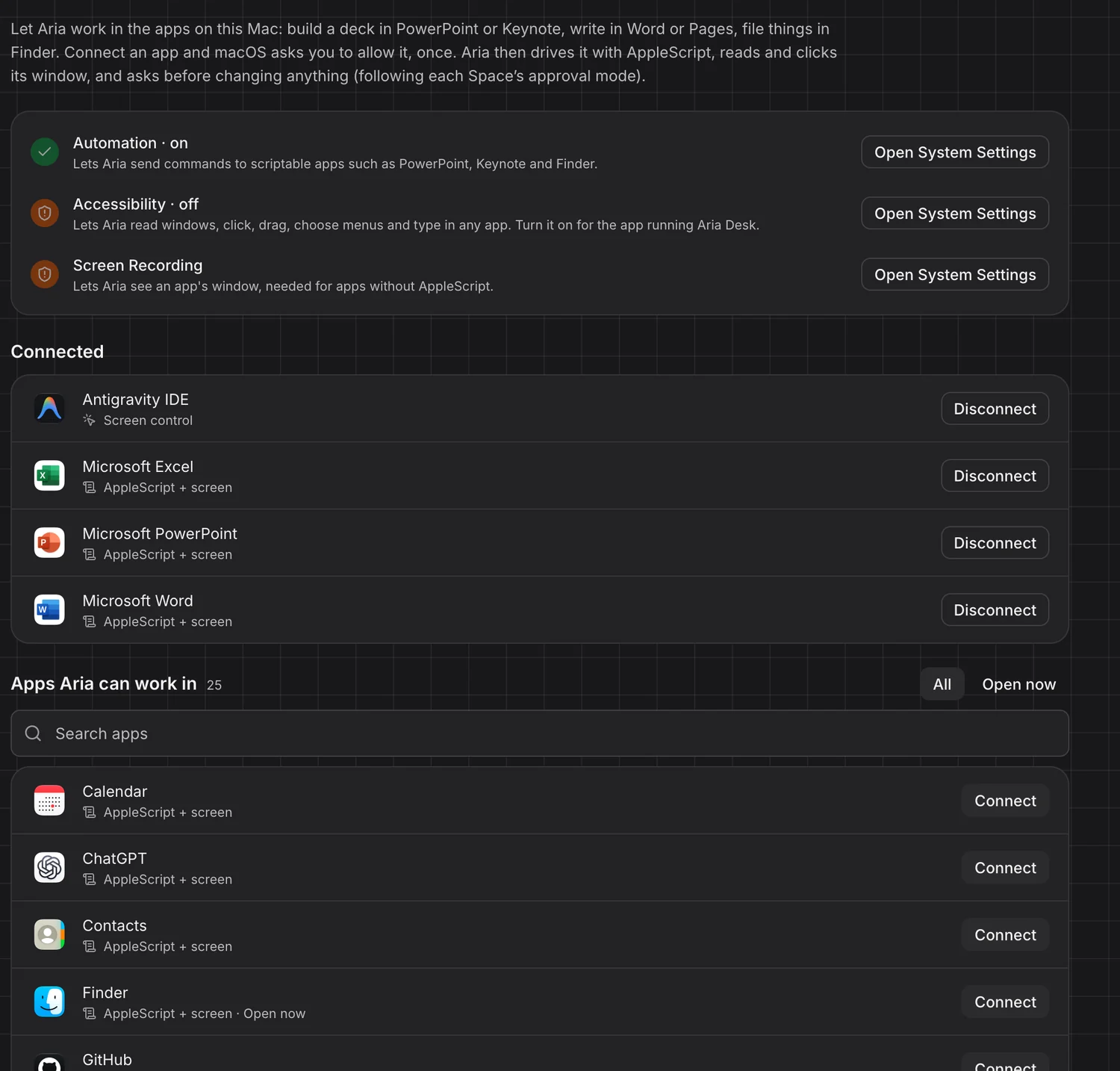
Turn on the apps Aria may use and it works inside them — writes in Word, builds the deck in PowerPoint, fills the model in Excel. On Windows and macOS it reads windows and menus, clicks, types and scripts the app you allowed through its own automation interface.
- Only apps it can really work in are listed; you turn each one on
- Scripts stay inside that app — no shell, no other apps
- Every change follows your approval mode
Control
Decide how much it does on its own.
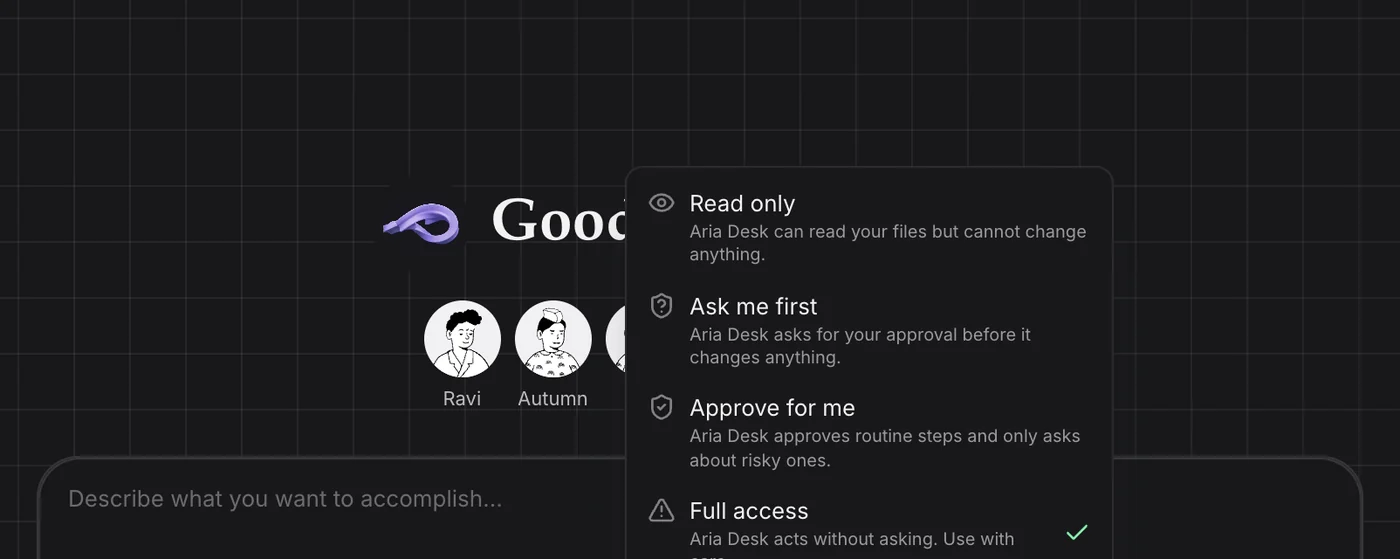
Pick an access mode for each space. Change it mid-task and it applies straight away — to the work already running, not just the next request. Anything it changes in your folder is a revision you can inspect or roll back.
- Read only · Ask me first · Approve for me · Full access
- Approvals appear right in the composer, highlighted
- Projects are folders on your machine; files land in them
Skills
Teach it how your team works.
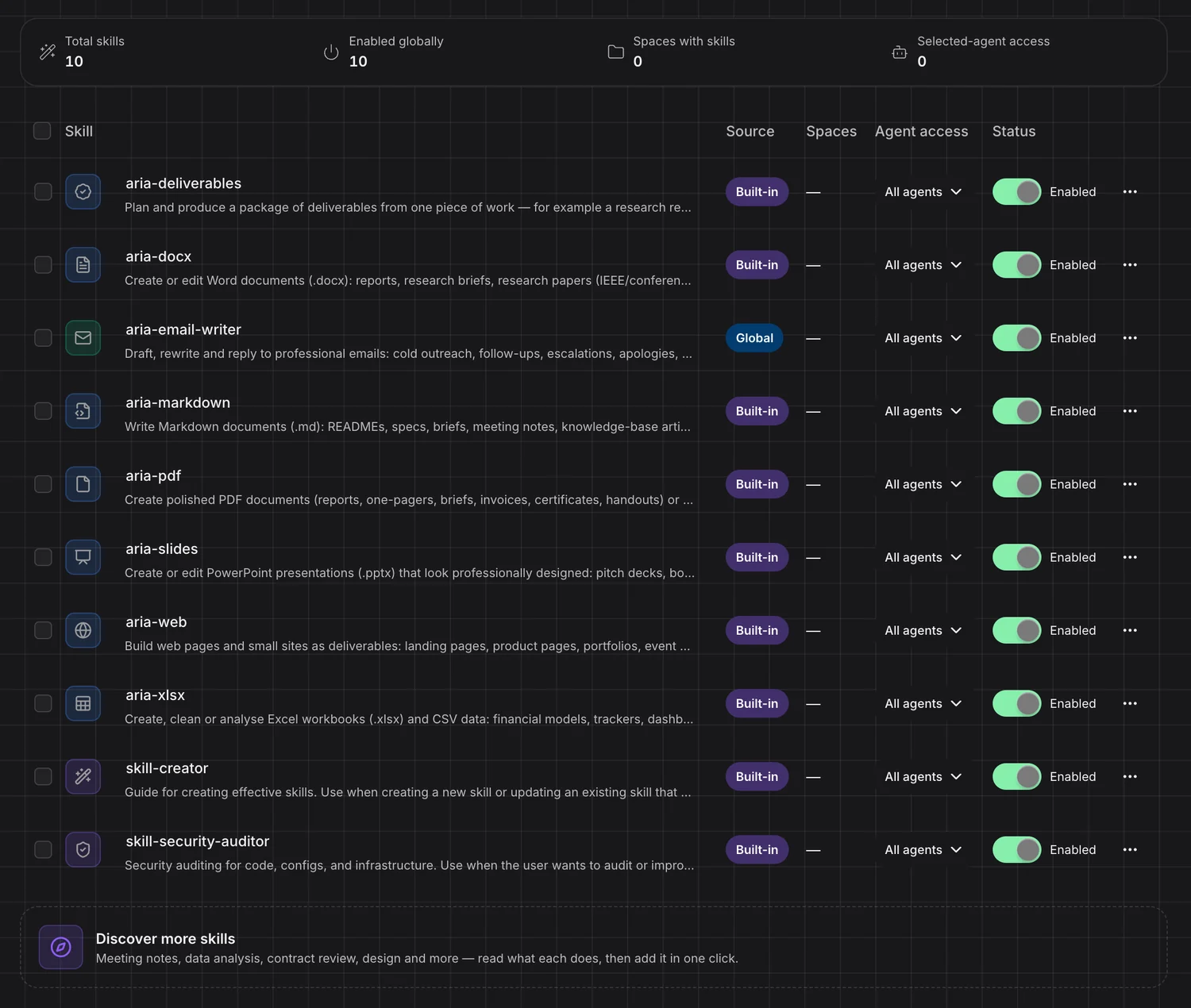
Skills are playbooks Aria loads when a task calls for one. It ships with a skill for every format and for multi-file packages; write your own with the skill creator, browse more, and share any skill as a file a teammate adds with one upload.
- Built-in skills for Word, Excel, PowerPoint, PDF, Markdown and web
- Read every file of a skill before you add it
- Turn skills on or off, for everyone or per space
The team
45 specialists. One request.
Each specialist has its own role, way of working and tools. Read any of their instructions in full, edit them, or write a specialist of your own — and include a few who argue: a skeptical investor, a devil’s advocate, a customer advocate and an ethicist read the draft before you do.

Prof. Davis
Researcher

Mrs. Lim
Writer

Ravi
Data Analyst

Maya
Market Researcher

Oscar
Presentation Designer
Grace
Financial Analyst

Ingrid
Fact-Checker

Autumn
Digital Marketer







They work at the same time
A coordinator breaks the request into parts and assigns each to the specialist whose job it is. The parts run in parallel.
You see who did what
The chat shows the swarm — each specialist, their part and their progress — and the summary keeps their names.
Your team, your way
Choose a standing team in Settings, hand-pick specialists for one task, or create your own with a role you write.
Use cases
For the work that ends in a file.
Reports, models, decks, briefs and papers — the deliverables that take a day of searching, writing and formatting. Here is what that looks like when you hand it over.
You ask
A cited report of several thousand words — executive summary first, comparison tables, charts drawn from the figures it found, risks and a sources list with the date each was read.
Files
In Agents mode, with
Prof. Davis
Researcher
Maya
Market Researcher
Ingrid
Fact-Checker
Integrations
Your tools, connected.
32 connectors in the catalog, added in a click. Anything else that speaks MCP, you can add yourself.
Productivity
Mail, docs, chat and project boards
- Google Workspace
- Slack
- Notion
- Linear
- Jira & Confluence
- Asana
 monday.com
- Box
 Granola
Research & docs
Web search and up-to-date documentation
- Exa
 Context7
 DeepWiki
 Microsoft Learn
 Cloudflare Docs
- Hugging Face
Developer
Repos, databases, deploys and errors
- GitHub
- Supabase
- Vercel
 Neon
Neon Sentry
 Render
 Playwright
 Chrome DevTools
Business
Payments, billing and customer support
- Stripe
 PayPal
 Square
- Intercom
 Polar
Polar
Design
Design files and sites
- Figma
- Canva
 Webflow
 Wix
Wix
And the rest
The details that make it a daily tool.
Aria and Aria Pro
Aria for fast work, Aria Pro when it should think before it acts. One choice in the composer.
A browser you can watch
See the agent’s browser live, and click or type into it yourself when a page needs you.
Memory you can edit
It remembers your preferences across sessions. Read, change or remove any note.
Automations
Run a task on a schedule or from a webhook — the Monday report writes itself.
Bring your files
Attach images, PDFs, Word, Excel, PowerPoint and CSV — or dictate the request instead of typing it.
Projects are folders
Each project is a folder on your machine, with its sessions beside it in the sidebar.
Edit in the preview
Change text, Markdown, CSV and HTML right in the preview and save with ⌘S.
Edit or branch
Rewrite an earlier request, or branch a new session from any point in the conversation.
Keyboard first
⌘K for every action and session, ⌘1–9 to jump between sessions, ⌘F to find in a conversation.
It tells you
A notification when a session finishes, fails or needs you — click to jump straight back.
Share the work
Send a session with its files, or a skill, as a file a teammate opens in a click.
Usage in plain sight
Tokens by day, model and session, next to what is left of your plan.
One account
Part of Aria, from day one.
Sign in with your Aria Studio account. No keys to paste: the models, your plan and its monthly allowance come with you — the same ones Aria Studio, the CLI and Aria IDE use.
Aria Desk
Research, documents and the rest of the work that ends in a file.
You are hereFrequently Asked Questions
Your next report is
one sentence away.
Tell Aria Desk what you need. It does the research, builds the file and checks it — you review the result.